Table of Contents
Installation Guideline
DeviceMatch Pro by Friends2A – Installation & Testing Instructions
Thank you for reviewing DeviceMatch Pro by Friends2A.
DeviceMatch Pro provides two Online Store app blocks:
Device Compatibility Checker – Recommended for product pages.
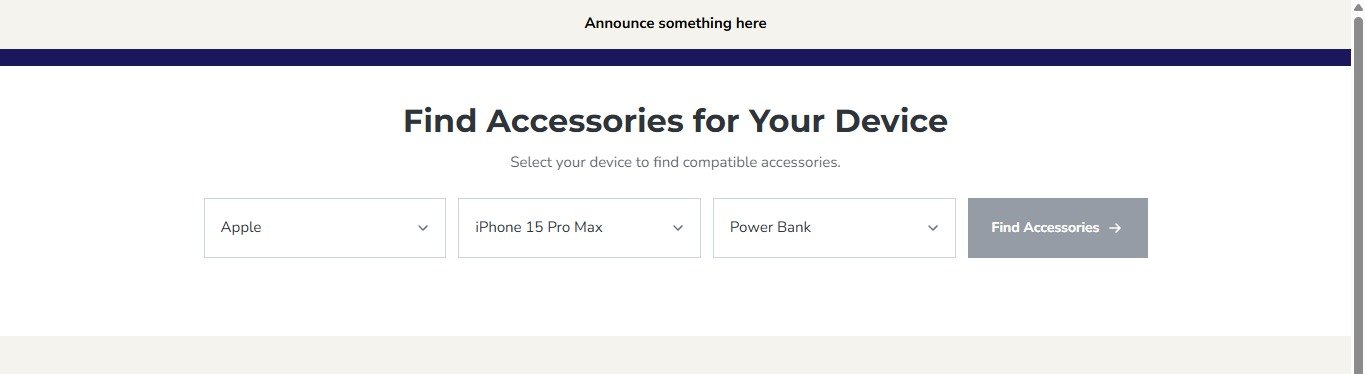
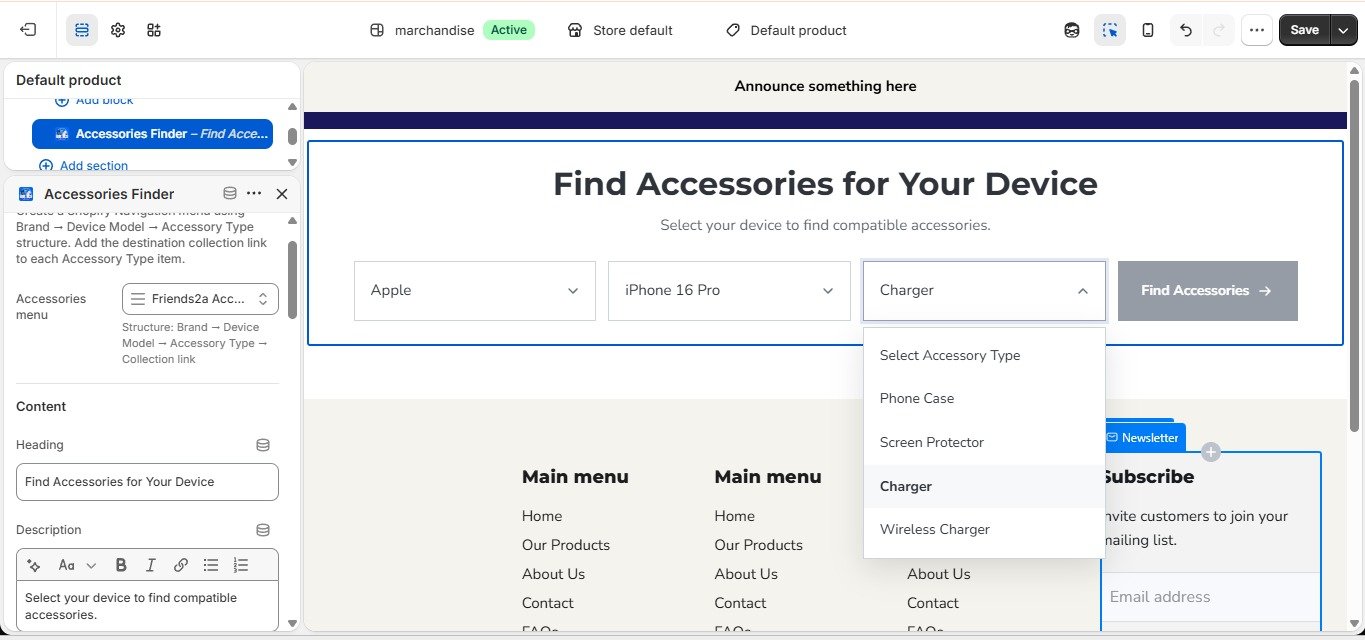
Accessories Finder – Can be used on the Home page, Collection pages, or other supported storefront pages.
Installation
Install DeviceMatch Pro from the Shopify App Store.
Go to Online Store → Themes → Customize.
Open the page or template where you want to use the app.
Click Add Section or Add Block and select the required DeviceMatch Pro block.
Configure the block settings according to your store requirements.
Save the theme and preview the storefront.
Device Compatibility Checker
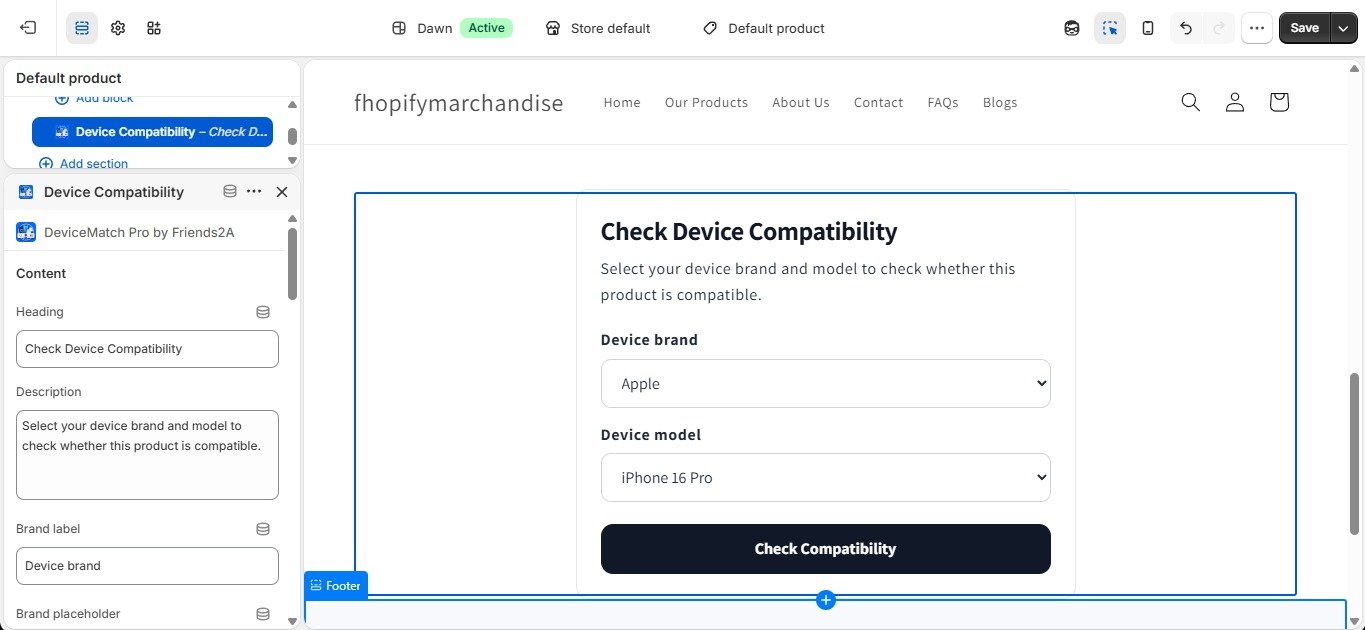
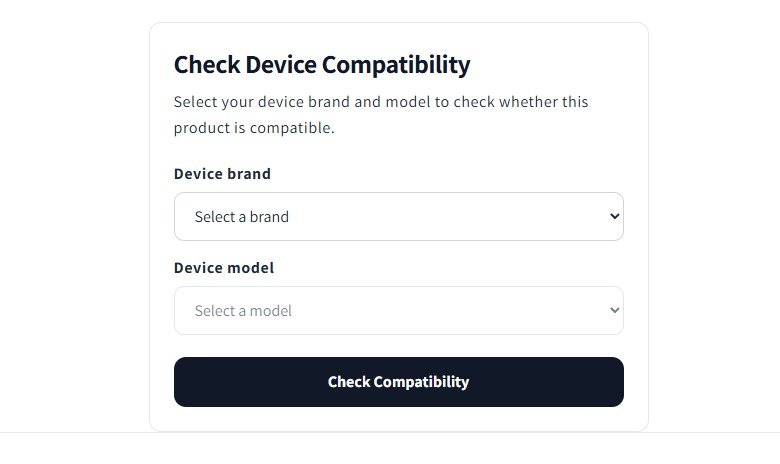
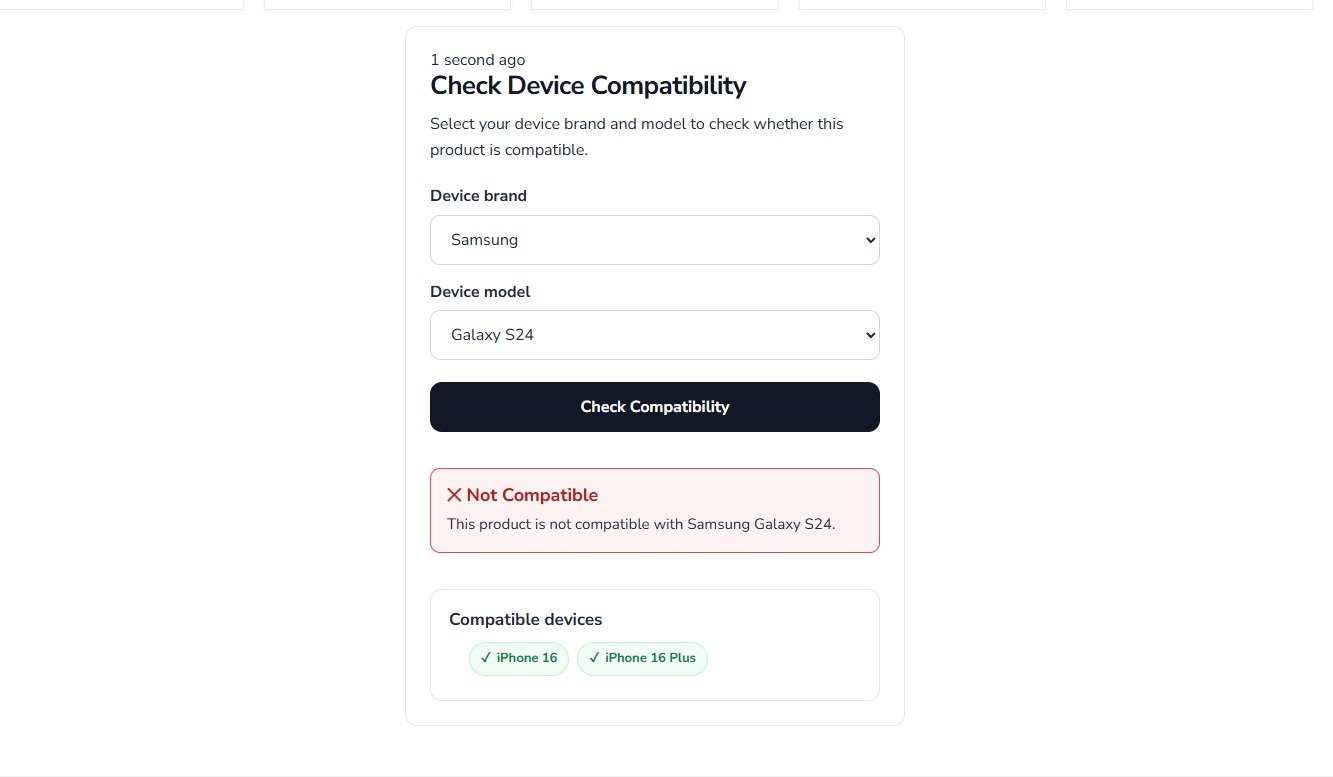
The Device Compatibility Checker is designed to help customers check whether a product is compatible with their selected device.
Open a product page in the theme editor.
Add the Device Compatibility Checker block.
Configure the supported device brands, device models, and compatible devices.
Save the block.
Preview the product page.
Select a device brand and model and click Check Compatibility.
The checker will display the appropriate compatibility result.
Important: DeviceMatch Pro does not require JSON data to install or use the app. Merchants can configure their device information directly through the app block settings.
Optional Data Preparation
The app interface includes a CSV to JSON converter for merchants who prefer to prepare structured device data using CSV files. Merchants can also convert their own data to JSON using the available data-to-JSON tools or other tools such as ChatGPT.
If JSON data is prepared manually, please follow the provided demo JSON templates. The demo templates show the required structure and naming format.
Important: Keep existing IDs/keys exactly as provided in the demo template. For example, if an ID is house, it must remain house; do not rename it to home. When creating additional JSON data, use the demo JSON structure as the template and keep the same field names and structure.
Accessories Finder
Create a Shopify Navigation menu.
Build the menu using this structure:
Brand → Device Model → Accessory Type → Collection
Example:
Apple
→ iPhone 16
→ Cases
→ Chargers
→ Screen Protectors
Samsung
→ Galaxy S25
→ Cases
→ Chargers
Assign the navigation menu in the Accessories Finder block settings.
Save the theme.
Open the storefront.
Select a Brand, Device Model, and Accessory Type.
Click Find Accessories.
The customer will be redirected to the selected accessory collection.
No JSON data is required for the Accessories Finder. It uses the Shopify Navigation menu as its data source.
Theme Compatibility
DeviceMatch Pro supports Shopify Online Store that support theme app blocks and works with free and premium themes. The blocks are responsive across desktop, tablet, and mobile devices.
Notes for the Review Team
No external services are required.
No third-party account or API key is required.
Configuration is completed through the Shopify Theme Editor.
Accessories Finder uses Shopify Navigation menus.
Device Compatibility Checker uses merchant-configured device compatibility data.
The app operates directly within the storefront after configuration.
Thank you for reviewing DeviceMatch Pro by Friends2A.
App Features
Help customers quickly find compatible devices and accessories with an easy brand and model finder.
DeviceMatch Pro by Friends2A helps merchants improve the shopping experience by allowing customers to quickly check product compatibility and find matching accessories. Customers can select a device brand, model, and accessory type to view compatible products or navigate directly to the correct collection. The app uses Shopify navigation menus for easy setup, requires no coding, works with Online Store 2.0 themes, and is fully responsive across desktop and mobile devices.
Features:
Check product compatibility by device brand and model.
Find matching accessories with a simple three-step device finder.
Redirect customers to the correct accessory collection instantly.
Easy setup using Shopify navigation menus with no coding required.
Fully responsive and compatible with Online Store 2.0 themes.
Apps Demo Screenshots
Support Helpline
If you need Support, please message us on WhatsApp. We will give you a response just in one minute. Or mail to us, Amzadhossen420360@gmail.com Or Contact Our Support Website : https://friends2a-technology.com/fhopify/contact-us/
Whatsapp Number: +8801602438393
Website: https://friends2a-technology.com/