Table of Contents
Installation Guideline
Home Improvement Calculator by F2
Home Improvement Calculator by F2 is a collection of practical calculators designed to help customers estimate flooring, paint, roofing, tile, and wallpaper requirements directly inside a Shopify storefront.
Installation Guide
Step 1 — Install the App
Install Home Improvement Calculator by F2 from the Shopify App Store and open the app from your Shopify Admin.
Step 2 — Open Your Shopify Theme
Go to:
Shopify Admin → Online Store → Themes → Customize
Select the theme where you want to display a calculator.
Step 3 — Add an App Block
Open the page or section where you want the calculator to appear.
Click:
Add section / Add block → Apps
Then select the required calculator from Home Improvement Calculator by F2.
Step 4 — Select the Calculator
The app includes:
- Flooring Calculator
- Paint Calculator
- Roofing Calculator
- Tile Calculator
- Wallpaper Calculator
Each calculator is an independent block, so you can use different calculators on different pages.
Step 5 — Configure the Calculator
After adding a calculator block, use the Shopify Theme Editor to configure its available settings.
Depending on the calculator, you can customize:
- Title
- Subtitle
- Labels
- Default values
- Units
- Waste percentage
- Colors
- Typography
- Result styling
- CTA
- Maximum width
- Other appearance options
Step 6 — Save & Test
Click Save in the Shopify Theme Editor.
Then open the storefront and test the calculator using realistic measurements.
Calculator Block Guide
01 — Flooring Calculator
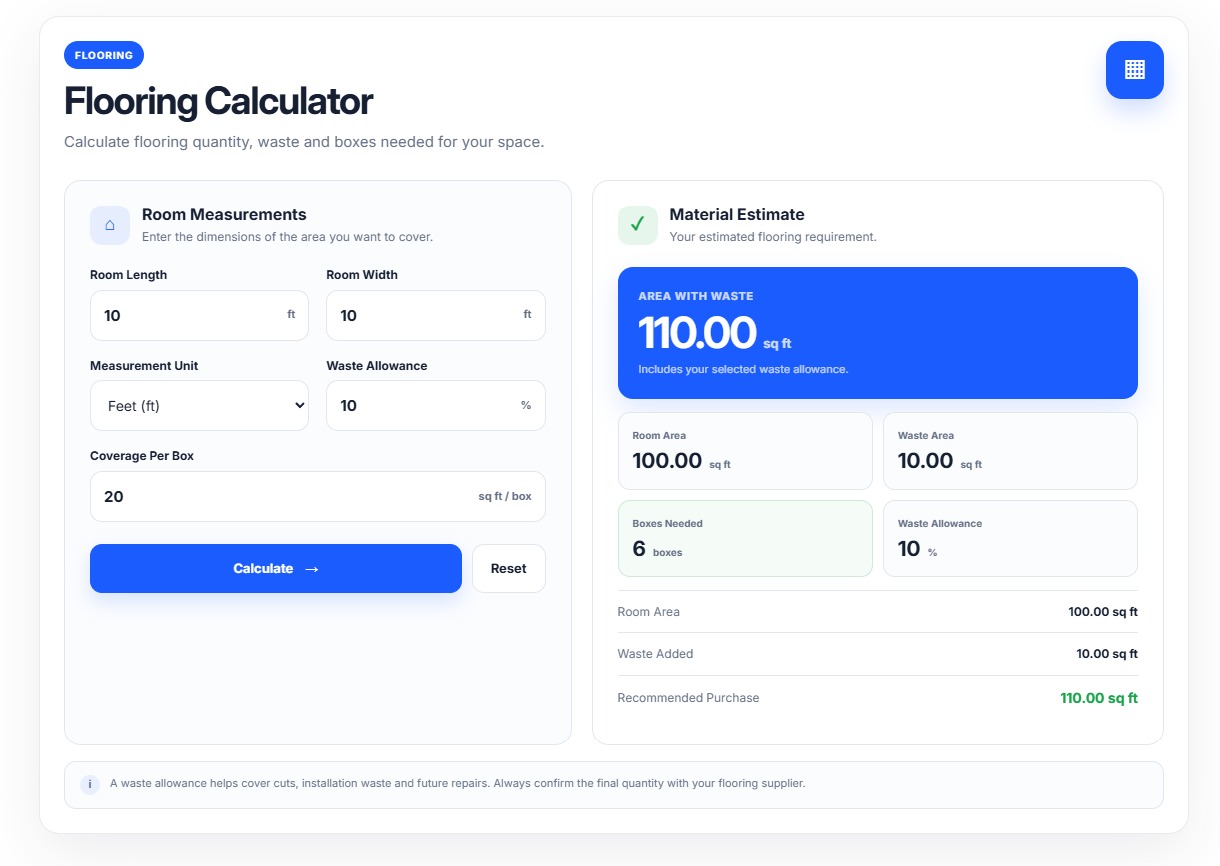
The Flooring Calculator helps customers estimate how much flooring material they need for a room.
How it works
Enter:
- Room Length
- Room Width
- Unit
- Waste Allowance
- Coverage per Box
The calculator estimates:
- Room Area
- Waste Area
- Total Purchase Area
- Required Boxes
Best for
Flooring stores, laminate stores, hardwood sellers, vinyl flooring stores and home improvement businesses.
02 — Paint Calculator
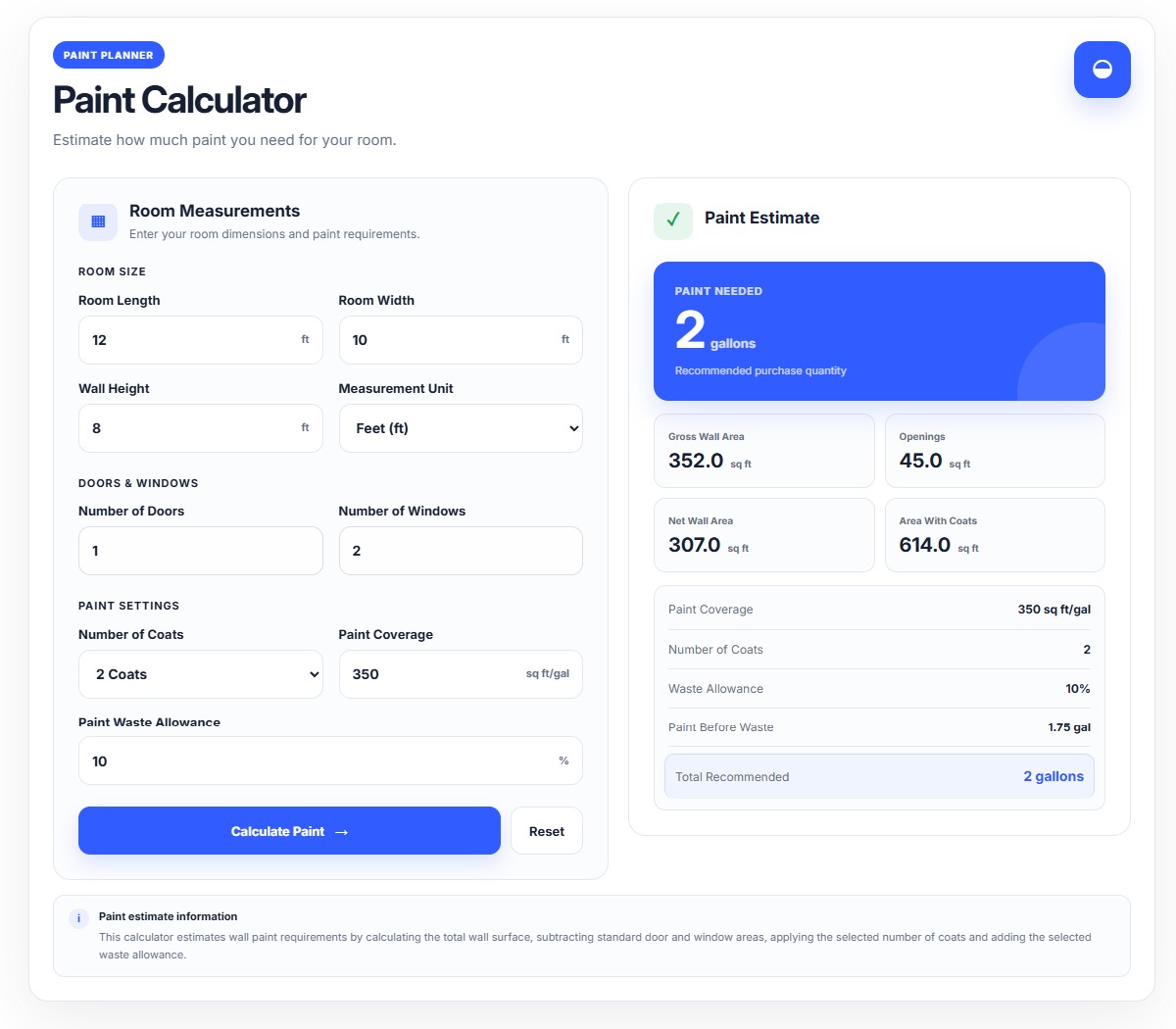
The Paint Calculator estimates the amount of paint required based on room dimensions, openings, coats and paint coverage.
How it works
Enter:
- Room Length
- Room Width
- Wall Height
- Unit
- Doors
- Windows
- Number of Coats
- Paint Coverage
- Waste Percentage
The calculator estimates:
- Gross Wall Area
- Opening Area
- Net Wall Area
- Total Coat Area
- Paint Before Waste
- Required Gallons
Best for
Paint stores, decorators, contractors and home improvement retailers.
03 — Roofing Calculator
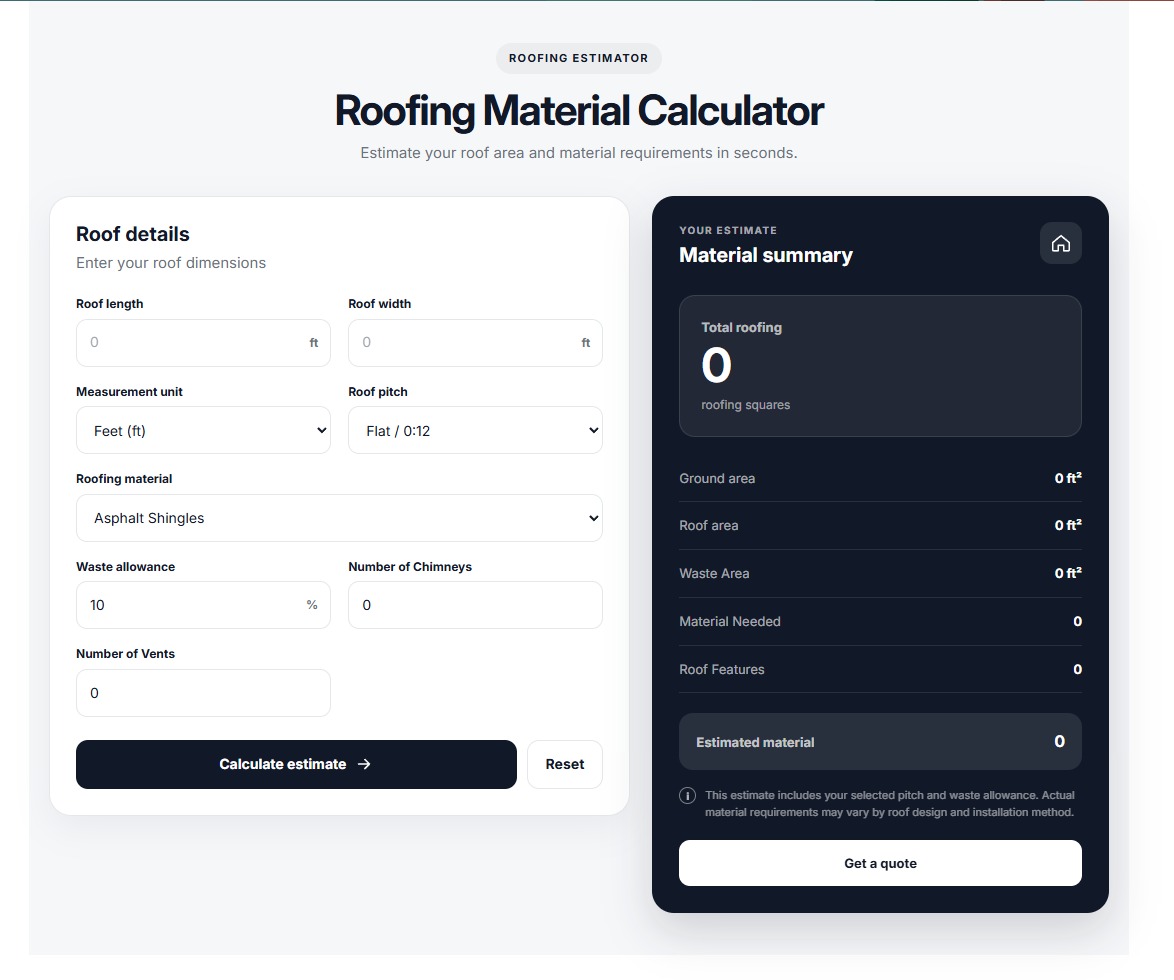
The Roofing Calculator estimates roof area and required roofing material based on roof dimensions, pitch, material and waste.
How it works
Enter:
- Roof Length
- Roof Width
- Unit
- Roof Pitch
- Roofing Material
- Waste Percentage
- Chimneys
- Vents
The calculator calculates:
- Ground Area
- Pitch-Adjusted Roof Area
- Waste Area
- Roofing Squares
- Material Requirement
The calculator supports roofing materials such as asphalt shingles, metal roofing, tile and slate.
Best for
Roofing companies, construction businesses, contractors and roofing material stores.
04 — Tile Calculator
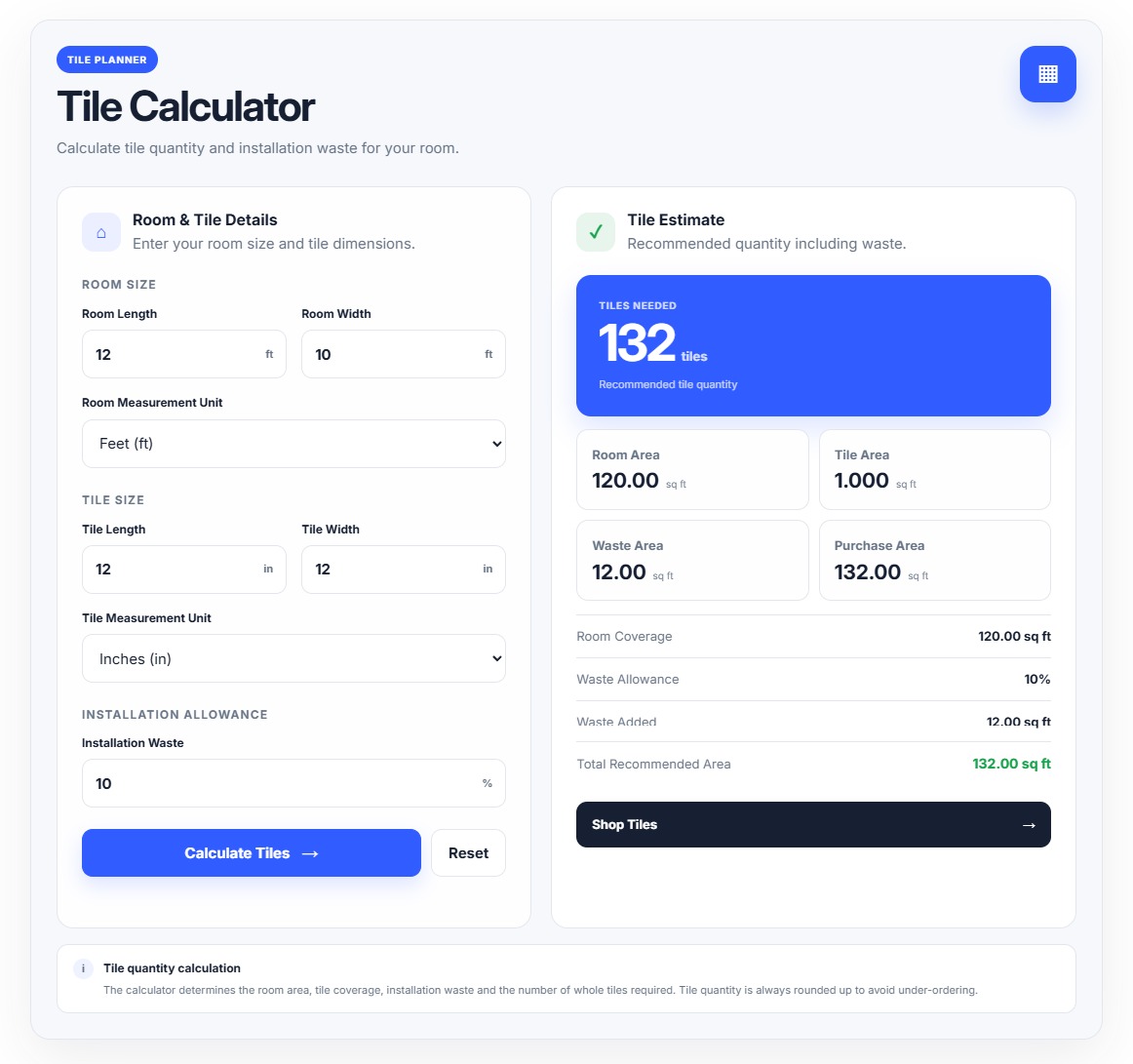
The Tile Calculator helps customers estimate the number of tiles required for a room.
How it works
Enter:
- Room Length
- Room Width
- Room Unit
- Tile Length
- Tile Width
- Tile Measurement Unit
- Waste Percentage
The calculator calculates:
- Room Area
- Individual Tile Area
- Waste Area
- Total Purchase Area
- Required Tiles
Best for
Tile stores, bathroom retailers, kitchen suppliers and flooring businesses.
05 — Wallpaper Calculator
The Wallpaper Calculator estimates the number of wallpaper rolls required for a room.
How it works
Enter:
- Room Length
- Room Width
- Wall Height
- Unit
- Roll Width
- Roll Length
- Pattern Repeat
- Waste Percentage
- Doors
- Windows
The calculator calculates:
- Wall Area
- Opening Area
- Net Wall Area
- Roll Coverage
- Required Rolls
Pattern repeat and waste allowance are considered when estimating the required rolls.
Best for
Wallpaper stores, interior design businesses, decorators and home renovation companies.
Important Information
These calculators provide estimates based on the measurements and values entered by the customer.
Actual material requirements may vary because of:
- Installation method
- Room/roof shape
- Cutting requirements
- Product dimensions
- Pattern matching
- Installation waste
- Manufacturer specifications
- Site-specific conditions
Customers should verify the final quantity with the product manufacturer, installer or qualified professional before purchasing large quantities.
The calculator should not be considered a substitute for professional measurement or installation advice.
Quick Merchant Workflow
Install App
     ↓
Open Theme Customizer
     ↓
Add App Block
     ↓
Choose Calculator
     ↓
Configure Settings
     ↓
Set Units & Defaults
     ↓
Customize Design
     ↓
Save Theme
     ↓
Test on Storefront
     ↓
Ready for Customers
App Features
Home Improvement Calculator by F2 provides practical flooring, paint, roofing, tile and wallpaper calculators for Shopify stores. Help customers estimate material quantities, account for waste and make better purchasing decisions directly from your storefront.
20 Key Features
01. Flooring Area Calculation
Calculate the total floor area from room length and width.
02. Flooring Waste Estimation
Add a configurable waste allowance before purchasing flooring.
03. Flooring Box Calculation
Estimate the number of flooring boxes required based on coverage per box.
04. Paint Quantity Estimation
Estimate the amount of paint required for a room.
05. Door & Window Deduction
Account for doors and windows when calculating usable wall area.
06. Multiple Paint Coats
Calculate paint requirements based on the number of coats.
07. Paint Coverage Support
Use the paint coverage value to estimate the required quantity.
08. Roofing Pitch Calculation
Adjust roof area according to the selected roof pitch.
09. Roofing Material Support
Estimate requirements for different roofing materials.
10. Roofing Waste Calculation
Include additional material for cutting and installation waste.
11. Roofing Squares
Convert the estimated roof area into standard roofing squares.
12. Tile Area Calculation
Calculate the area covered by each individual tile.
13. Tile Quantity Estimation
Estimate how many tiles are needed for the selected room.
14. Tile Waste Allowance
Include additional tiles for cutting and installation waste.
15. Wallpaper Roll Calculation
Estimate the number of wallpaper rolls required.
16. Pattern Repeat Support
Account for wallpaper pattern repeat when estimating roll requirements.
17. Door & Window Consideration
Display opening area when estimating wallpaper requirements.
18. Multiple Measurement Units
Support appropriate metric and imperial measurement options across calculators.
19. Real-Time Calculation
Results update automatically when customers change input values.
20. Responsive Shopify Design
The calculators are designed for desktop, tablet and mobile storefronts.
Additional Features
🎨 Theme Editor Customization
Merchants can customize the calculator appearance directly from Shopify Theme Editor without editing code.
📱 Mobile Friendly
The calculators adapt to smaller screens and use a single-column layout where necessary.
⚡ No Page Reload
Calculations happen directly on the storefront using JavaScript.
🔄 Reset Function
Customers can reset calculator inputs and return to the configured default values.
✅ Input Validation
Invalid, empty or unsuitable values are detected and meaningful validation messages are displayed.
🎯 Customer-Friendly Results
Important results such as boxes, gallons, tiles and rolls are displayed prominently.
🛒 Ecommerce Ready
The calculators can be positioned near products, collections or relevant purchasing sections to help customers estimate their material requirements before buying.
🔁 Multiple Calculator Blocks
Merchants can add different calculators to different pages or sections depending on their store requirements.
Apps Demo Screenshots

Support Helpline
If you need Support, please message us on WhatsApp. We will give you a response just in one minute. Or mail to us, Amzadhossen420360@gmail.com Or Contact
Whatsapp Number: +8801602438393