Hello, Our Apps Users
We’ve noticed that some users are experiencing issues with Shopify free apps when using the Horizon (new update) theme and a few other Shopify free themes.
However, this issue does not occur with the Shopify Dawn theme, Shopify core premium themes, or ThemeForest themes.
If you are facing this issue on the Horizon theme or any newly updated Shopify free theme, please review the screenshots we’ve shared and follow the guideline below.
Why This Issue Happens:
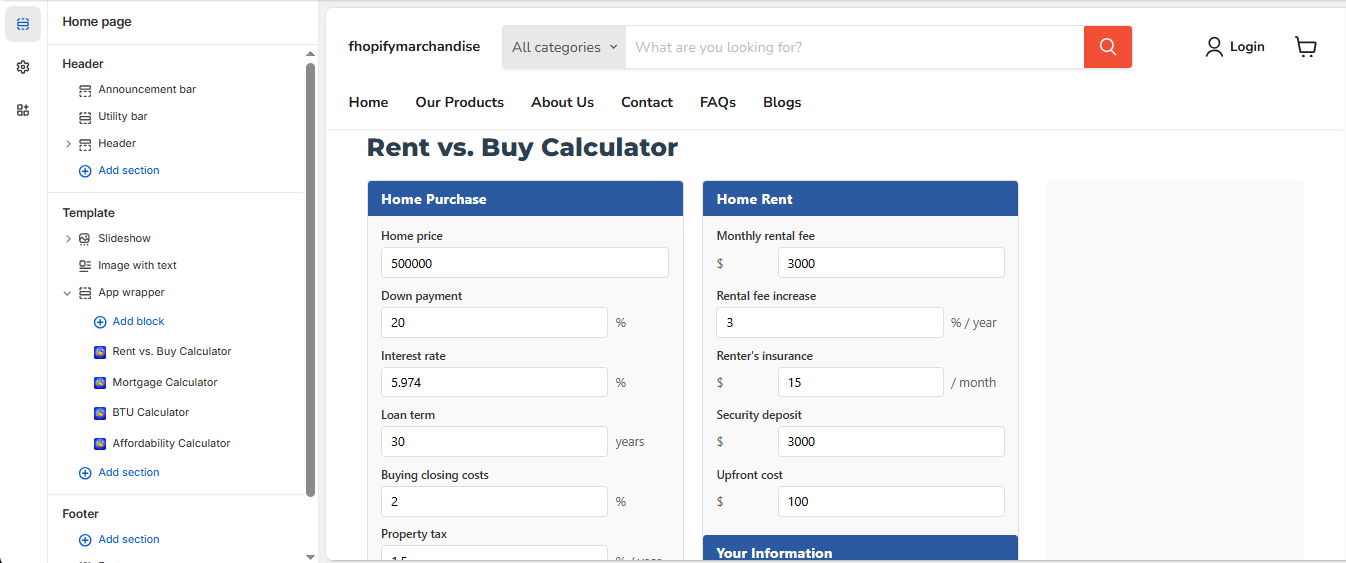
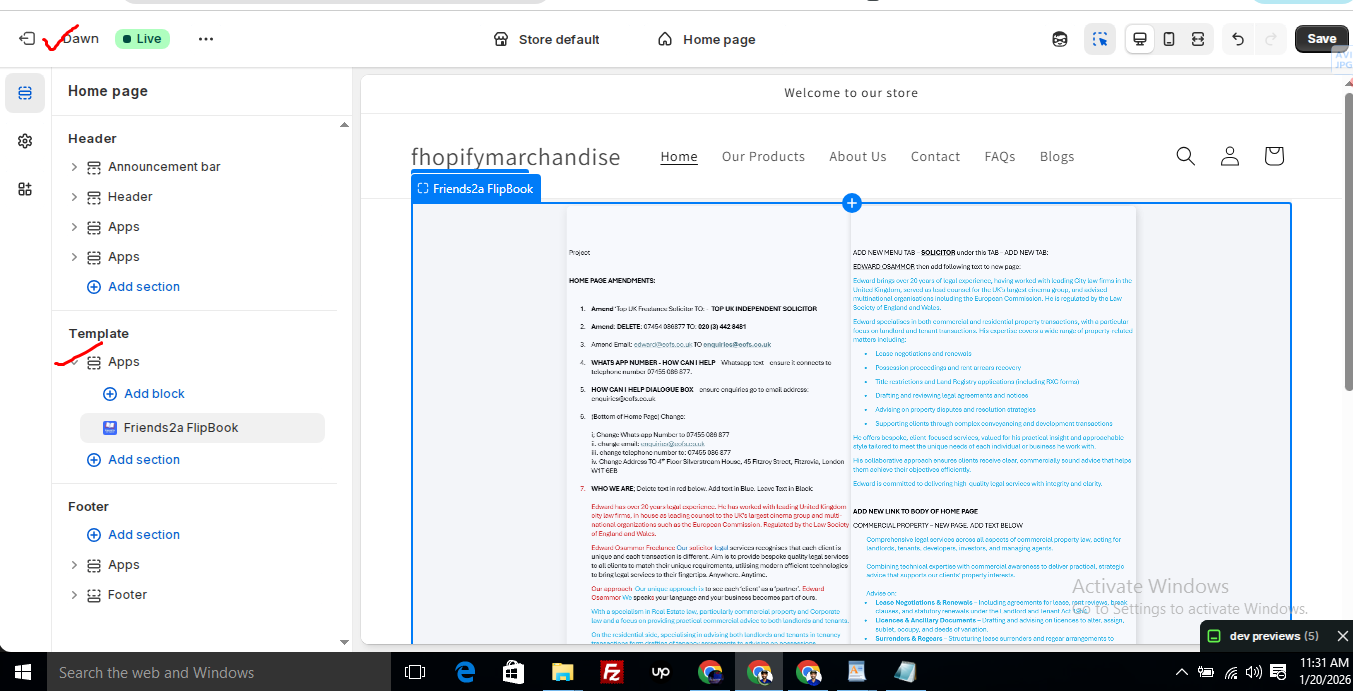
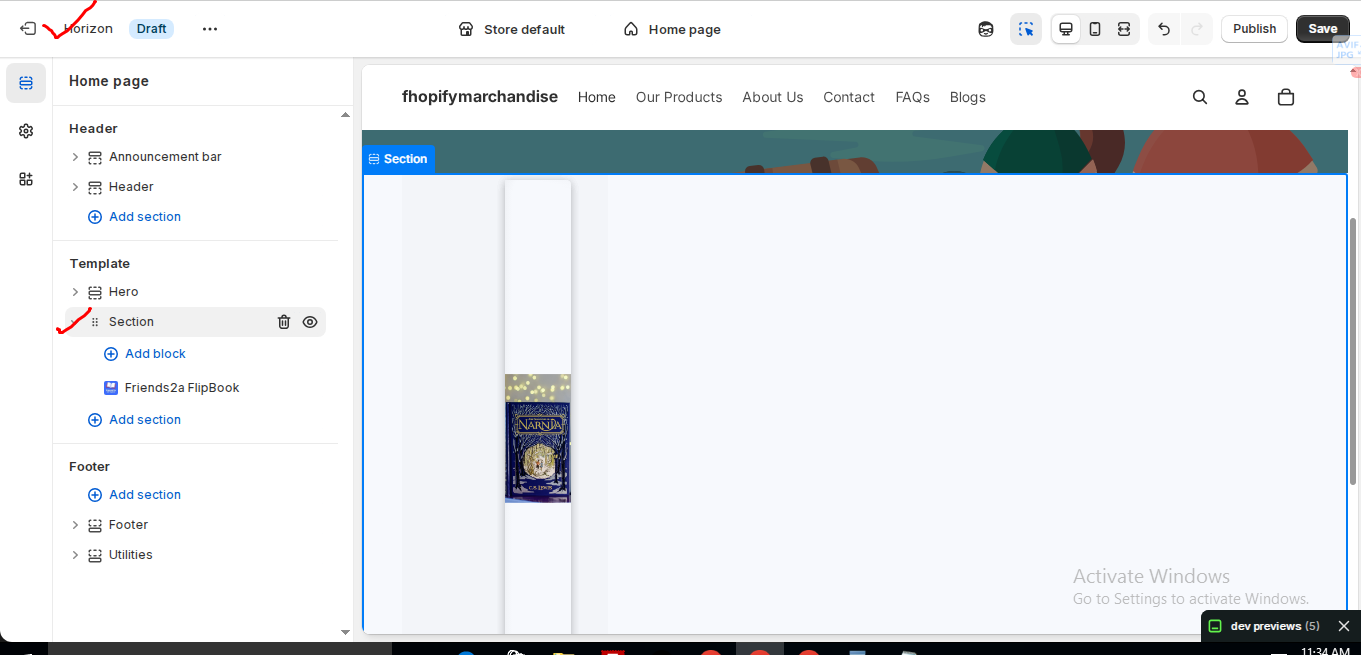
In the Horizon new update theme (and some other Shopify free themes), when you add an app block, it is automatically wrapped inside a Section container.
This Section applies automatic CSS and admin UI styles, which may conflict with the app’s layout. As a result, app content such as FlipBooks or iframe-based apps may appear squeezed, misaligned, or broken.
This is a theme-level layout behavior, not an app bug.
How to Fix the Issue (Solution)
Please follow these steps carefully:
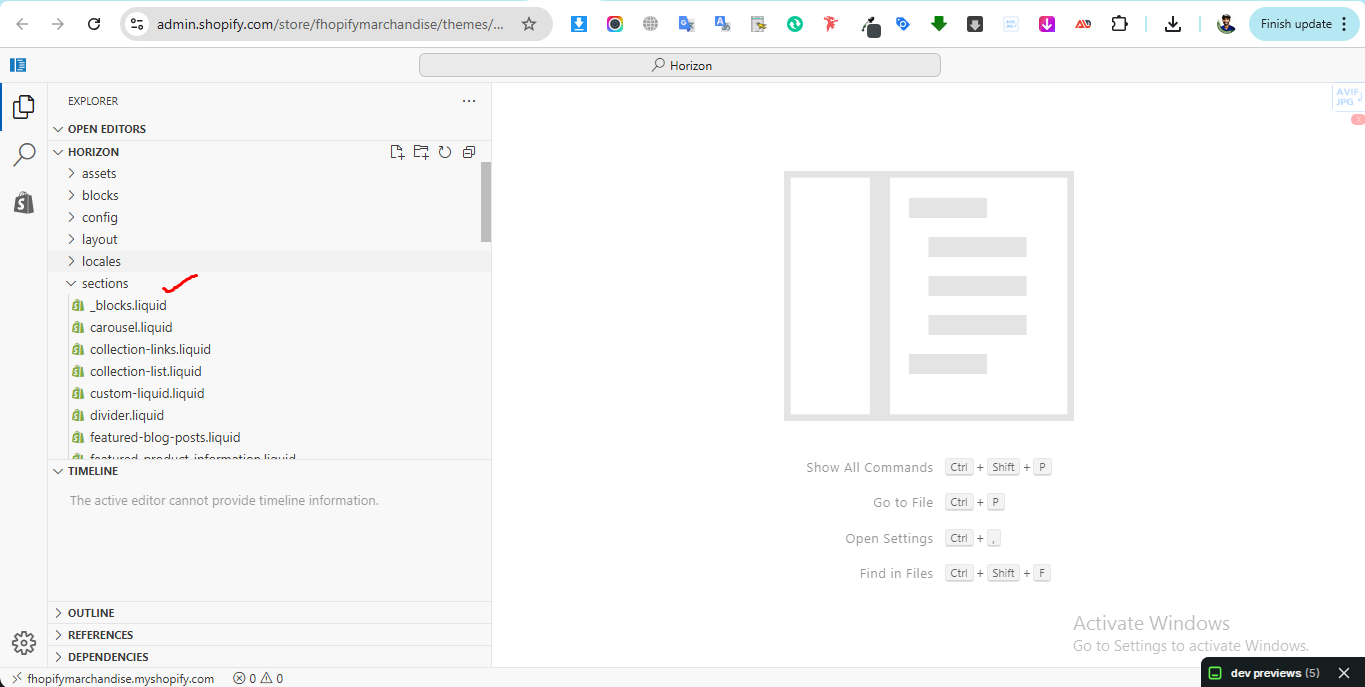
1. Go to Online Store → Themes → Edit code
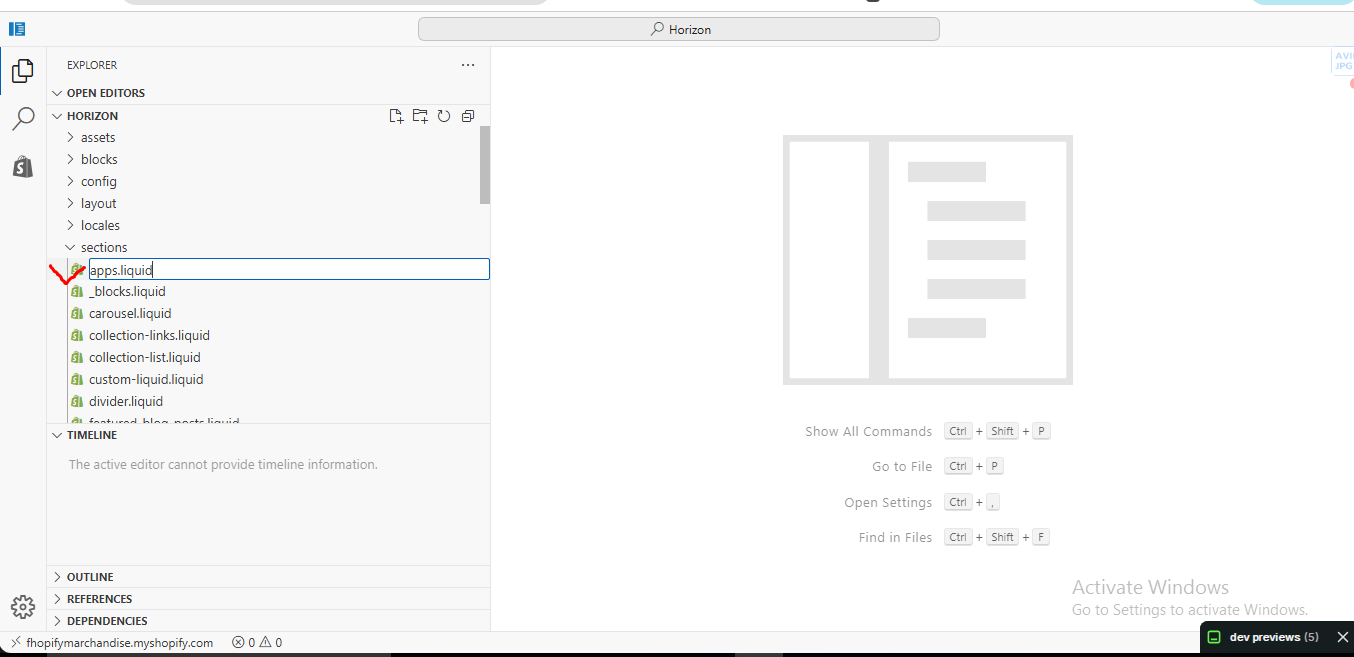
2. Open the Sections folder
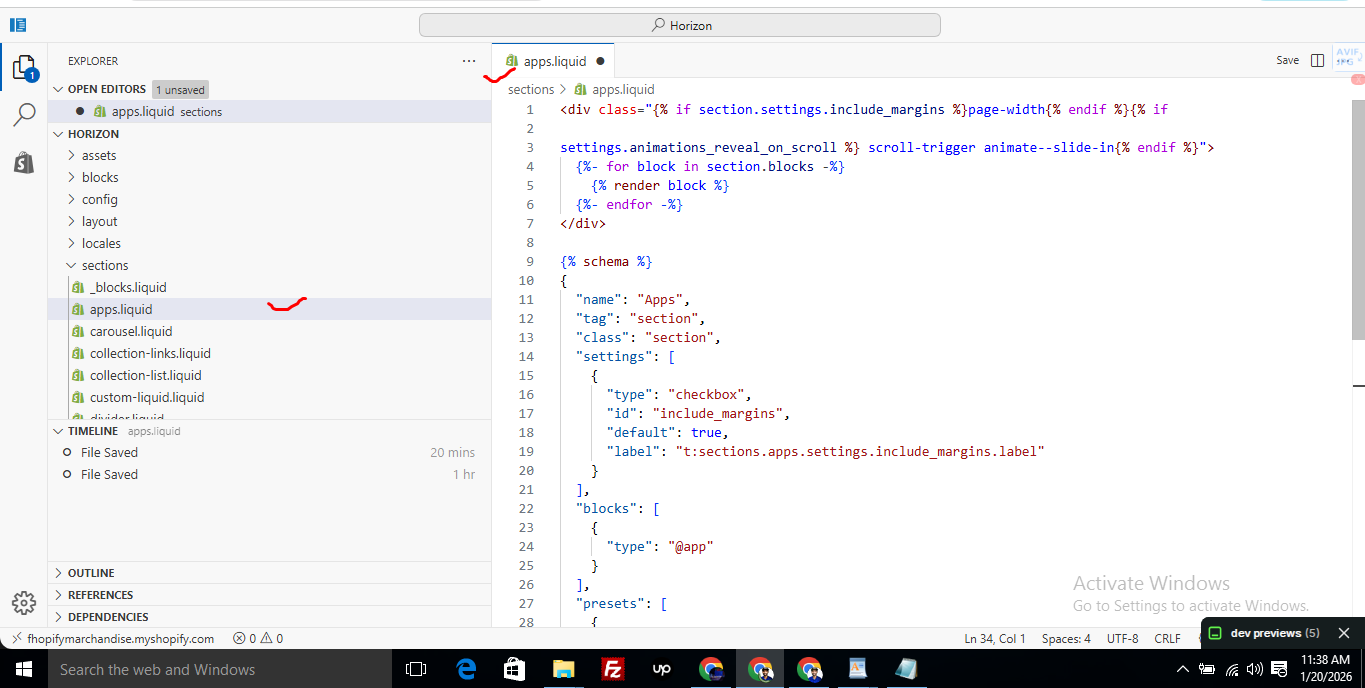
3. Find the file named apps.liquid
– If the file exists, open it and paste the provided code into it
– If the file does not exist, create a new file named apps.liquid and paste the code into it
4. Save the file
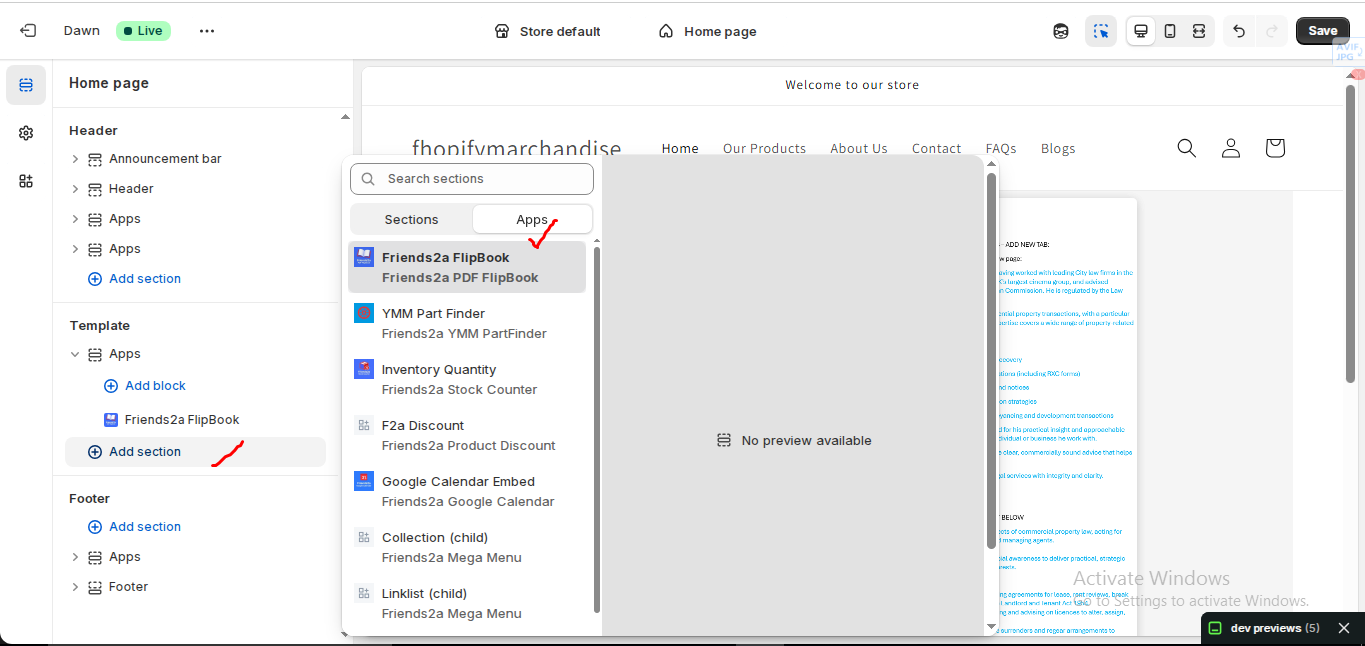
5. Go back to Theme Customization
6. Add the app block again
After completing these steps, everything should display correctly.
Summary :
– This issue is related to the Horizon / Shopify free theme layout behavior
– It is not an app bug
– Dawn, Shopify premium themes, and ThemeForest themes work without any issues
– Following the steps above will resolve the problem
If you still face issues after following this guide, please share updated screenshots and we will be happy to assist further.
Create file name : apps.liquid and past it
					<div class="{% if section.settings.include_margins %}page-width{% endif %}">
  {% for block in section.blocks %}
    {% render block %}
  {% endfor %}
</div>

{% schema %}
{
  "name": "Apps",
  "tag": "section",
  "class": "section",
  "settings": [
    {
      "type": "checkbox",
      "id": "include_margins",
      "default": true,
      "label": "Include page margins"
    }
  ],
  "blocks": [
    { "type": "@app" }
  ],
  "presets": [
    { "name": "Apps" }
  ]
}
{% endschema %}
F2 Real Estate Calculators
F2 Real Estate Calculators : Installation & Setup Guide
This guide explains how to install and use F2 Real Estate Calculators on your Shopify store. The app allows merchants to add powerful real estate calculators such as mortgage calculator, rent vs buy calculator, house affordability calculator, and AC BTU calculator directly into their Shopify storefront.
These tools help visitors estimate home costs, compare renting vs buying, and make better real estate decisions.
Step 1: Install the App
To get started, install the app from the Shopify App Store.
- Log in to your Shopify Admin
- Open the Shopify App Store
- Search for F2 Real Estate Calculators
- Click Add App
- Click Install
Once the installation is complete, the app will appear in your Shopify admin dashboard.
Step 2: Open the Shopify Theme Editor
F2 Real Estate Calculators uses Shopify Theme App Blocks, which means you can easily add calculators to your store pages.
To access the theme editor:
- Go to Online Store
- Click Themes
- Click Customize
This will open the Shopify theme customization panel.
Step 3: Add Calculator Blocks
Inside the theme editor you can add calculator blocks anywhere on your store.
Steps:
- Click Add Section or Add Block
- Select Apps
- Choose one of the available calculators
Available calculators include:
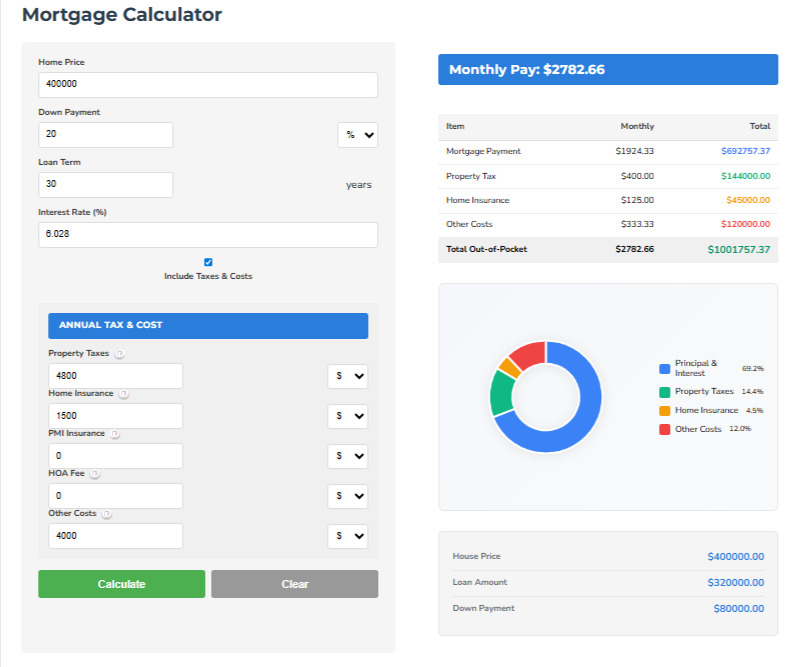
- Mortgage Calculator
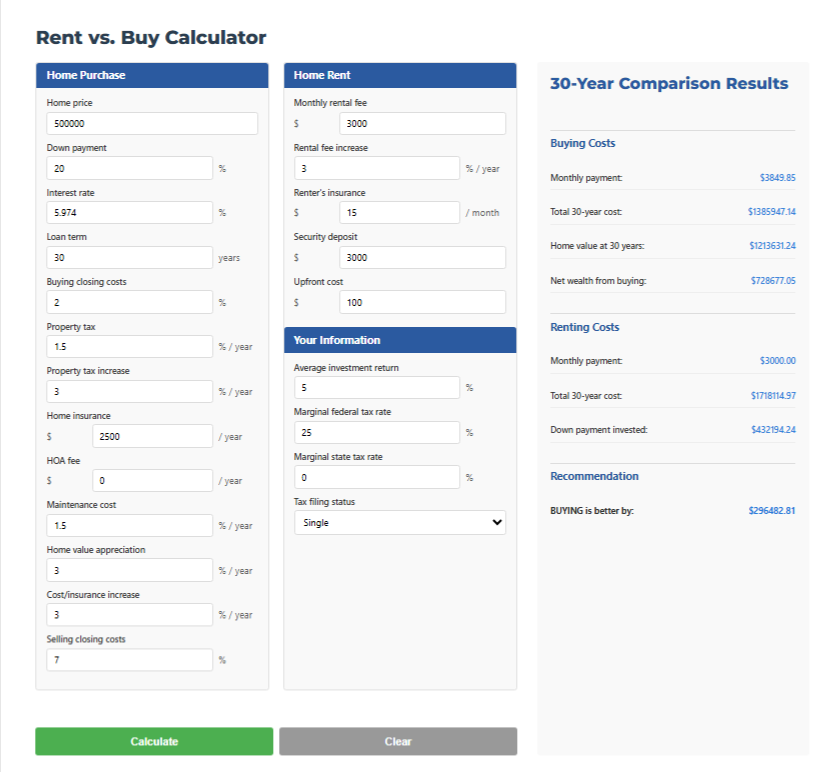
- Rent vs Buy Calculator
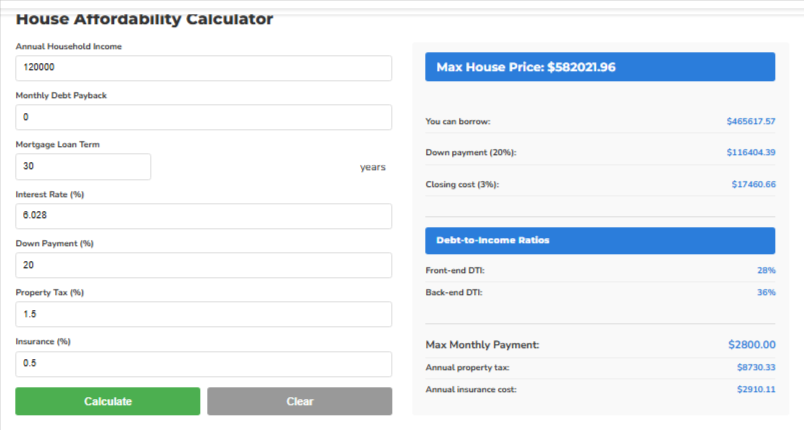
- House Affordability Calculator
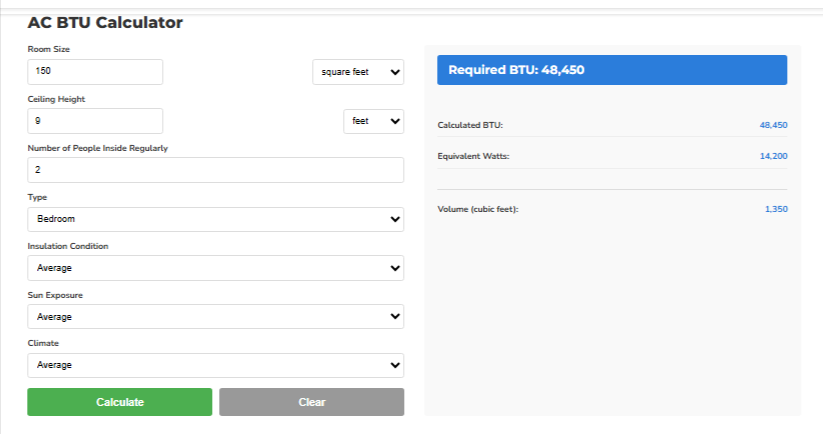
- AC BTU Calculator
These tools can be placed on your homepage, landing pages, blog posts, or property pages.
Step 4: Add the Mortgage Calculator
The Mortgage Calculator helps visitors estimate their home loan payments.
Customers can enter:
- Home price
- Down payment
- Loan term
- Interest rate
The calculator will automatically estimate the monthly mortgage payment.
This feature is useful for real estate agencies, property developers, and home buyers.
Step 5: Add the Rent vs Buy Calculator
The Rent vs Buy Calculator helps customers compare the long-term costs of renting versus buying a property.
The calculator includes fields such as:
- Home price
- Monthly rent
- Down payment
- Interest rate
- Property tax
- Insurance
It provides a detailed comparison showing which option may be more cost-effective.
Step 6: Add the House Affordability Calculator
The House Affordability Calculator helps users determine how much home they can afford.
Users can enter:
- Annual household income
- Monthly debt payments
- Loan term
- Interest rate
- Down payment percentage
The calculator will estimate the maximum home price the buyer can afford.
Step 7: Add the AC BTU Calculator
The AC BTU Calculator helps users estimate the correct air conditioner capacity for a room.
Users can enter:
- Room size
- Ceiling height
- Number of people in the room
- Room type
The tool calculates the recommended BTU capacity required for efficient cooling.
Step 8: Customize Calculator Design
Each calculator block can be customized directly from the Shopify theme editor.
Customization options include:
- Section width
- Padding
- Background color
- Text size
- Button colors
- Heading alignment
These options allow merchants to match the calculator design with their store theme.
If you need Support, please message us on WhatsApp. We will give you a response just in one minute. Or mail to us, Amzadhossen420360@gmail.com Or Contact Our Support Website : https://friends2a-technology.com/fhopify/contact-us/
F2 Real Estate Calculators adds powerful home buying and property calculators to your Shopify store. Help visitors estimate mortgage payments, compare renting vs buying, calculate house affordability, and determine the correct AC BTU size for rooms. All calculators can be easily added as Shopify theme blocks and customized directly from the theme editor. Improve user engagement and help customers make smarter real estate decisions.
Feature 1
Mortgage Calculator – Estimate home loan payments instantly.
Feature 2
Rent vs Buy Calculator – Compare long-term renting vs buying costs.
Feature 3
House Affordability Calculator – See how much home buyers can afford.
Feature 4
AC BTU Calculator – Estimate correct air conditioner size for rooms.
Feature 5
Theme App Blocks – Add calculators anywhere from Shopify editor.