Hello, Our Apps Users
We’ve noticed that some users are experiencing issues with Shopify free apps when using the Horizon (new update) theme and a few other Shopify free themes.
However, this issue does not occur with the Shopify Dawn theme, Shopify core premium themes, or ThemeForest themes.
If you are facing this issue on the Horizon theme or any newly updated Shopify free theme, please review the screenshots we’ve shared and follow the guideline below.
Why This Issue Happens:
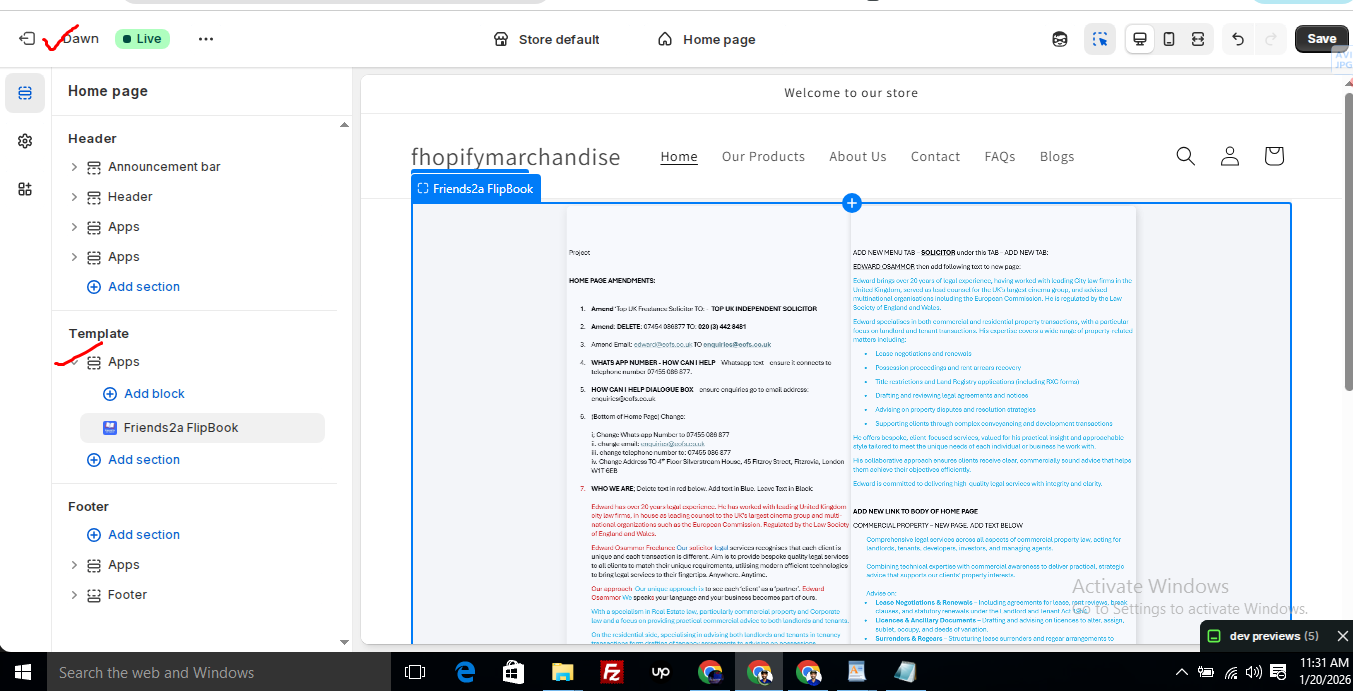
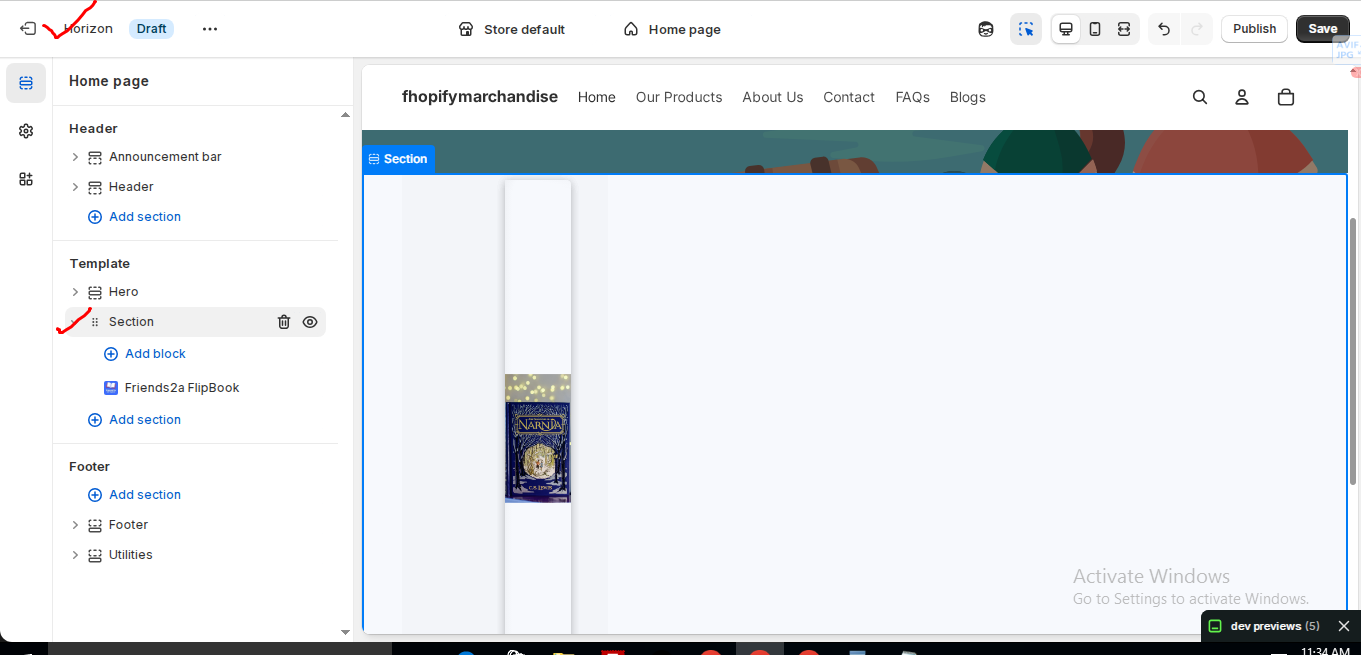
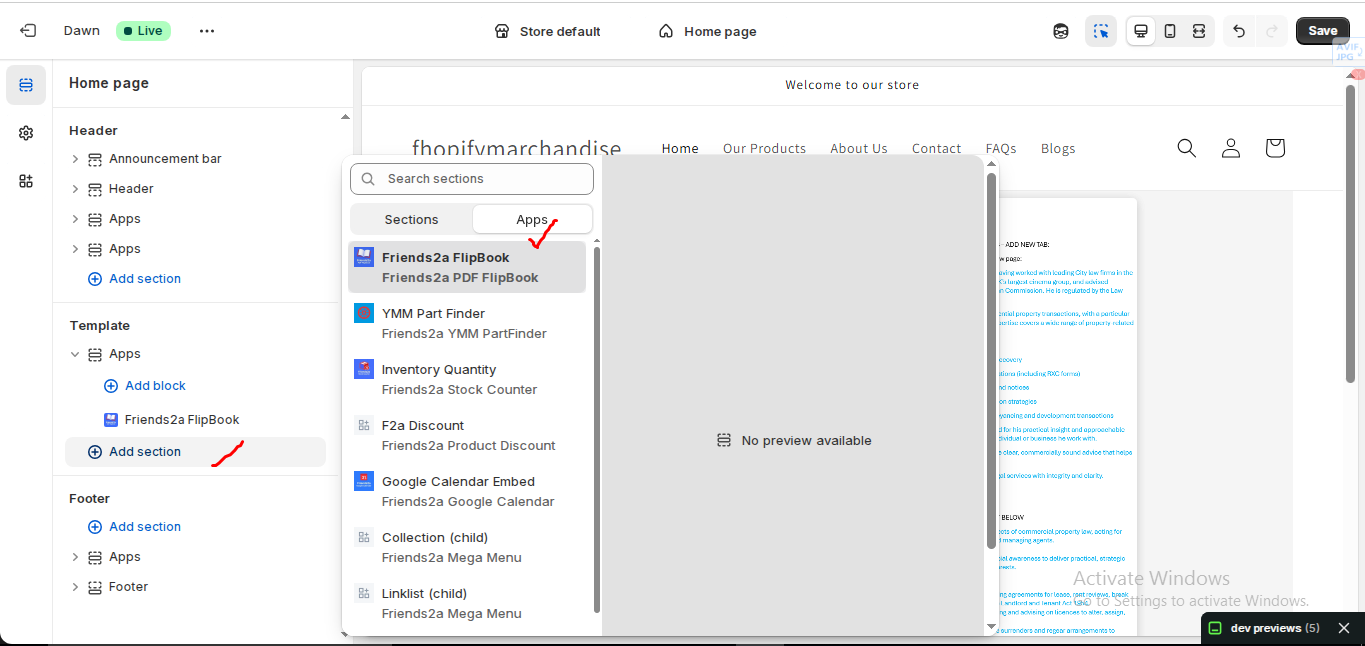
In the Horizon new update theme (and some other Shopify free themes), when you add an app block, it is automatically wrapped inside a Section container.
This Section applies automatic CSS and admin UI styles, which may conflict with the app’s layout. As a result, app content such as FlipBooks or iframe-based apps may appear squeezed, misaligned, or broken.
This is a theme-level layout behavior, not an app bug.
How to Fix the Issue (Solution)
Please follow these steps carefully:
1. Go to Online Store → Themes → Edit code
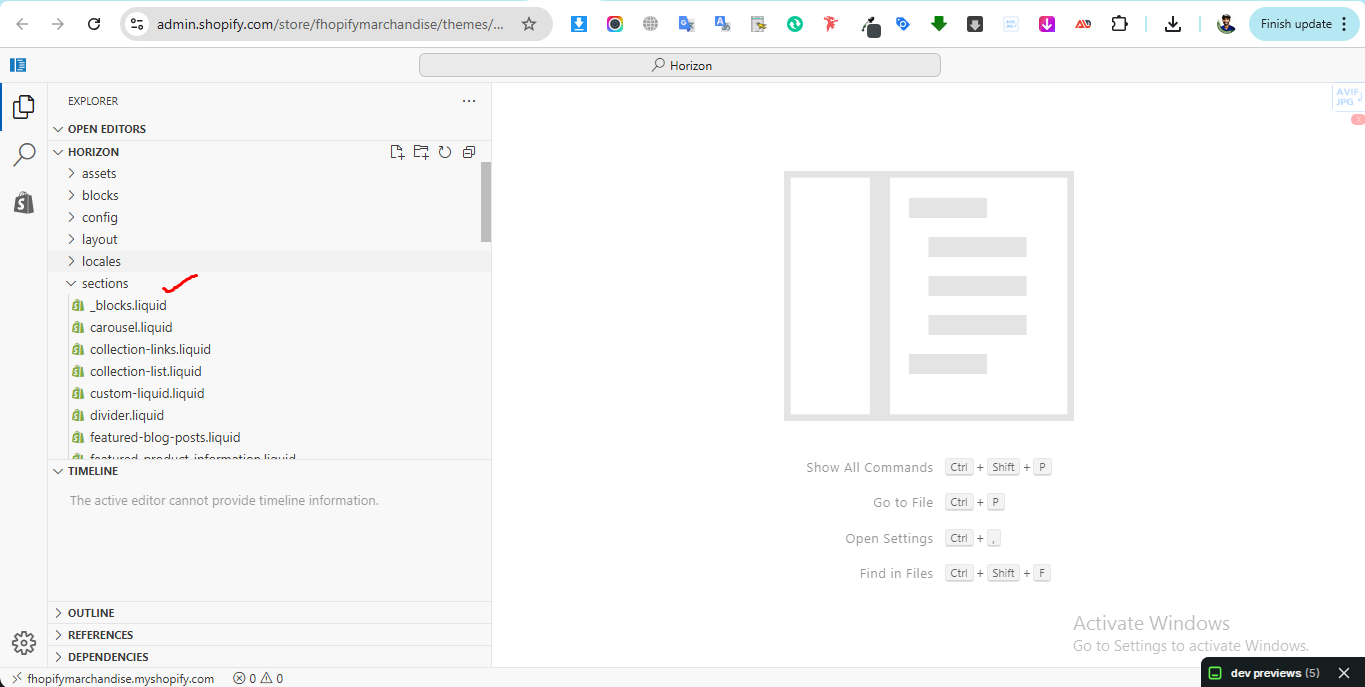
2. Open the Sections folder
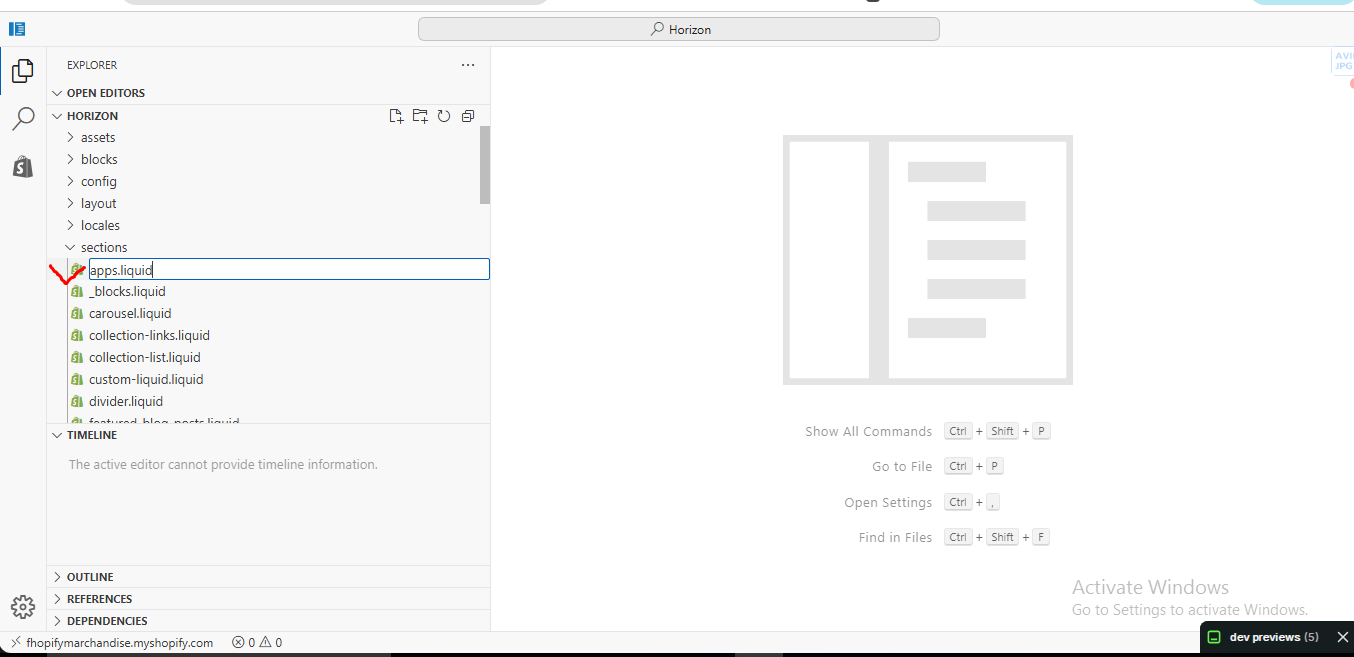
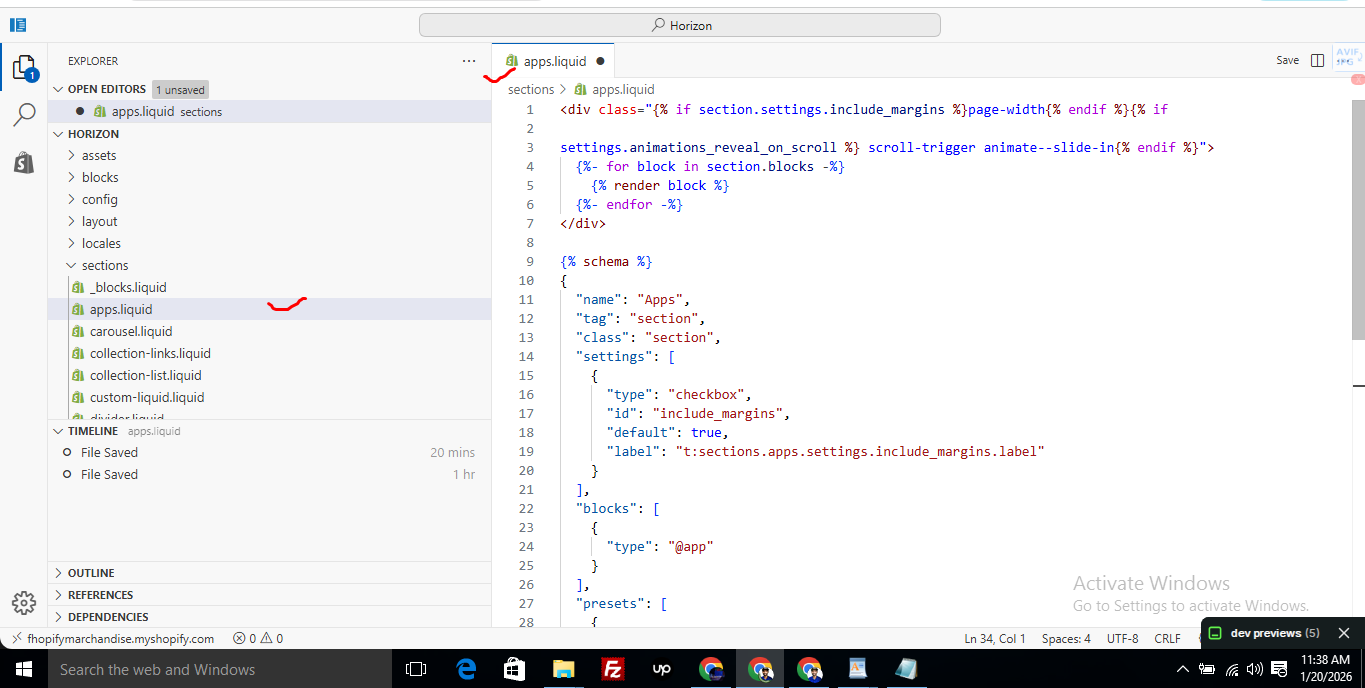
3. Find the file named apps.liquid
– If the file exists, open it and paste the provided code into it
– If the file does not exist, create a new file named apps.liquid and paste the code into it
4. Save the file
5. Go back to Theme Customization
6. Add the app block again
After completing these steps, everything should display correctly.
Summary :
– This issue is related to the Horizon / Shopify free theme layout behavior
– It is not an app bug
– Dawn, Shopify premium themes, and ThemeForest themes work without any issues
– Following the steps above will resolve the problem
If you still face issues after following this guide, please share updated screenshots and we will be happy to assist further.
Create file name : apps.liquid and past it
					<div class="{% if section.settings.include_margins %}page-width{% endif %}">
  {% for block in section.blocks %}
    {% render block %}
  {% endfor %}
</div>

{% schema %}
{
  "name": "Apps",
  "tag": "section",
  "class": "section",
  "settings": [
    {
      "type": "checkbox",
      "id": "include_margins",
      "default": true,
      "label": "Include page margins"
    }
  ],
  "blocks": [
    { "type": "@app" }
  ],
  "presets": [
    { "name": "Apps" }
  ]
}
{% endschema %}
Friends2a Technology Property Finder
Shopify App Block (Liquid) – Installation & Setup Guide
1️⃣ Install the App
Log in to your Shopify Admin
Go to Apps → Shopify App Store
Search for: Friends2a Property Finder
Click Install
Approve required permissions
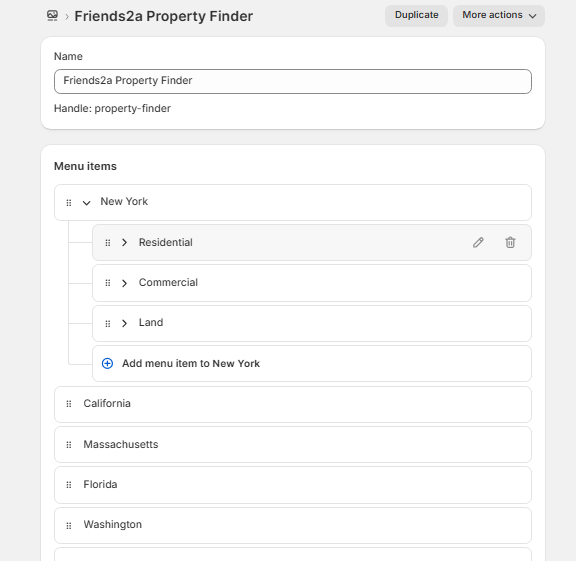
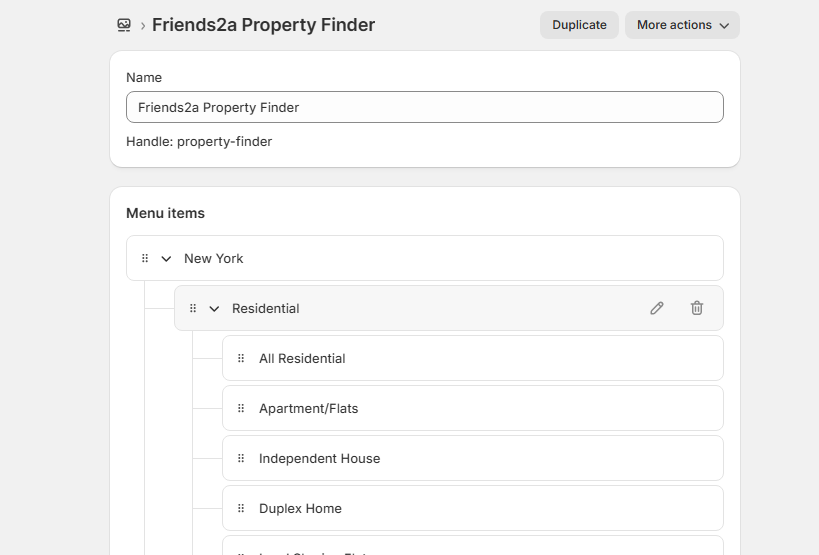
2️⃣ Create the Required Navigation Structure
⚠️ This app works based on Shopify Navigation hierarchy.
You must create a 3-level menu structure like this:
├── Property Type (Level 2)
├── Property Category (Level 3)
Example (Based on Your Screenshot)
├── Residential
│ ├── Apartment/Flats
│ ├── Independent House
│ ├── Duplex Home
│
├── Commercial
├── Land
How to Create the Menu
Go to Shopify Admin → Content → Navigation
Click Add menu
Name it:
Friends2a Property FinderAdd main locations (New York, California, etc.)
Drag & drop items to create submenus
Click Save
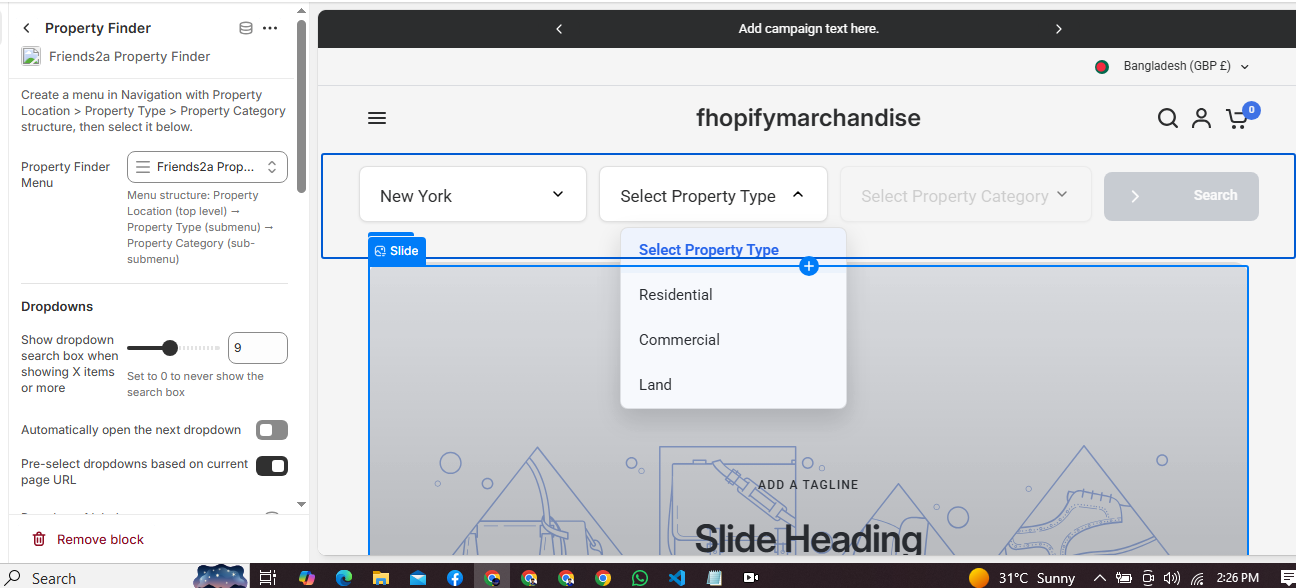
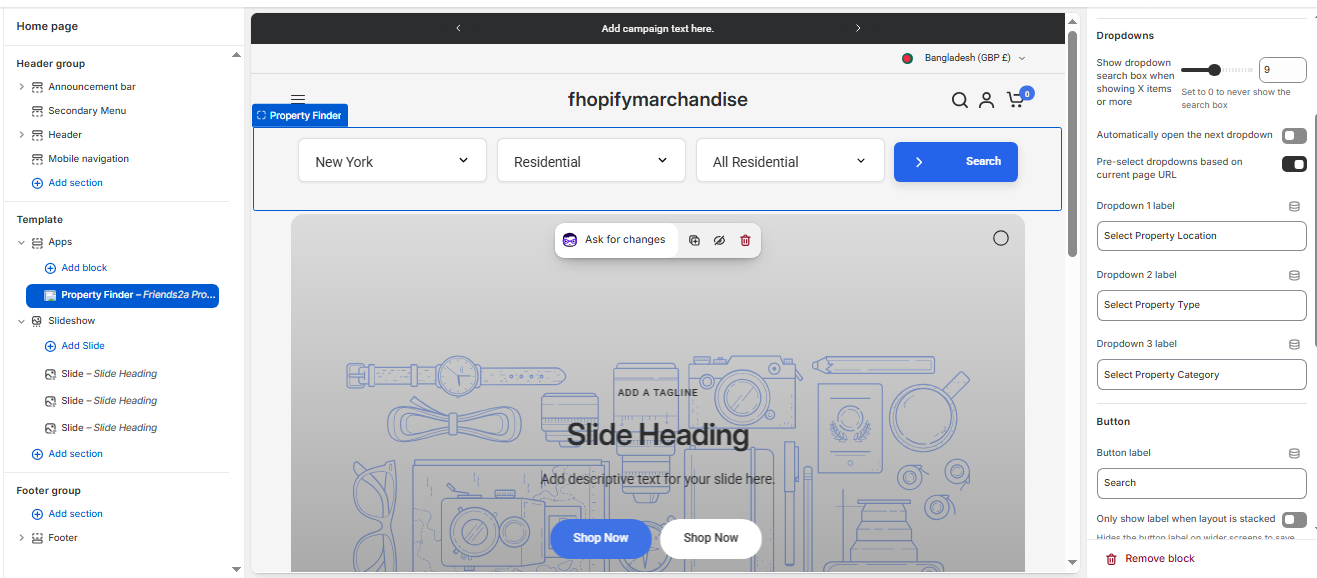
3️⃣ Add the App Block to Your Theme
Go to Online Store → Customize
Open the page where you want to show it (Homepage or any page)
Click Add Section
Select:
Property Finder – Friends2a Property FinderPosition it where needed
Click Save
If you need Support, please message us on WhatsApp. We will give you a response just in one minute. Or mail to us, Amzadhossen420360@gmail.com Or Contact Our Support Website : https://friends2a-technology.com/fhopify/contact-us/
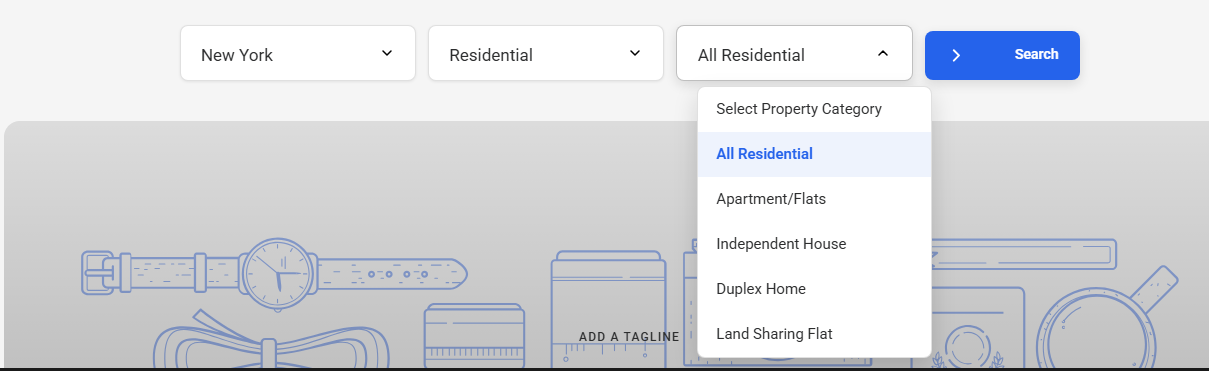
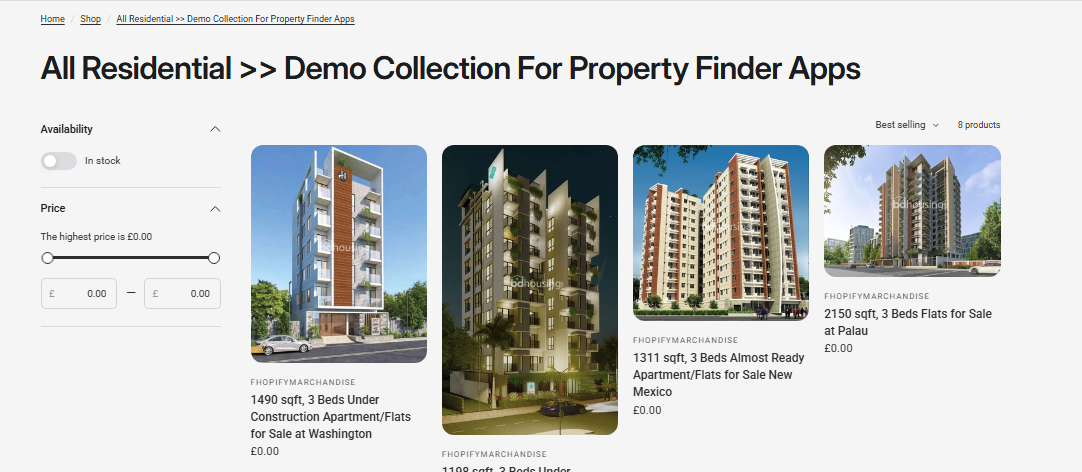
Friends2a Property Finder is a Shopify app built for real estate and property listing stores. It lets merchants create structured search filters using navigation menus such as Location, Property Type, and Property Category. Customers can quickly find properties using multi-level dropdown filters and get redirected to the correct listing page. Ideal for real estate agencies, property marketplaces, and location-based stores.
✅ Feature 1
Multi-level property search filters
✅ Feature 2
Location-based real estate filtering
✅ Feature 3
Residential and commercial category support
✅ Feature 4
Navigation-driven dropdown structure
✅ Feature 5
Dynamic redirect to property listing pages
✅ Feature 6
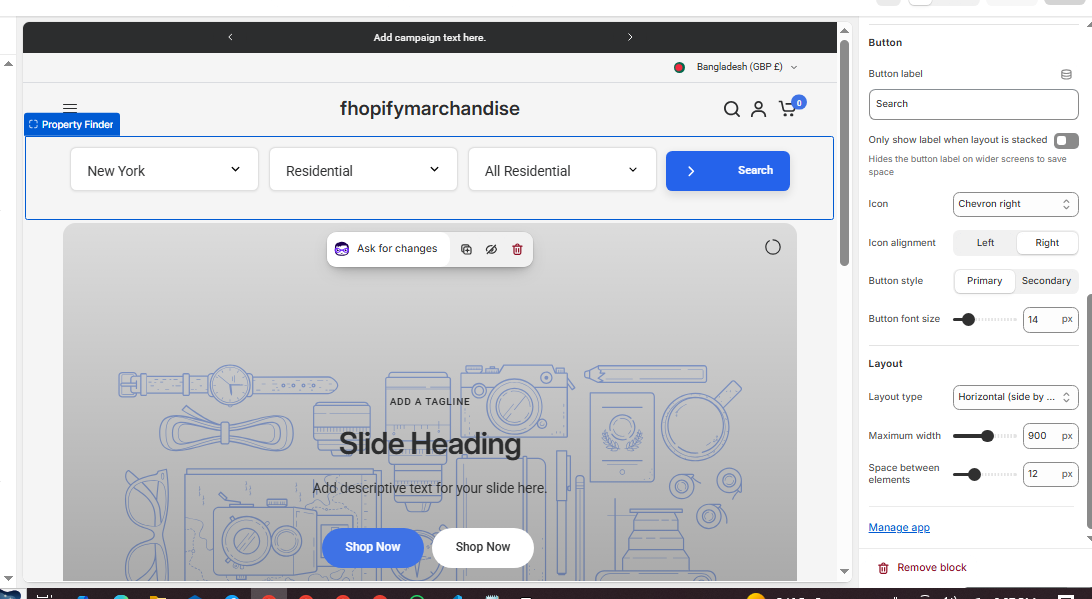
Fully customizable filter labels
✅ Feature 7
Mobile responsive search layout
✅ Feature 8
Easy setup with Shopify theme editor