Hello, Our Apps Users
We’ve noticed that some users are experiencing issues with Shopify free apps when using the Horizon (new update) theme and a few other Shopify free themes.
However, this issue does not occur with the Shopify Dawn theme, Shopify core premium themes, or ThemeForest themes.
If you are facing this issue on the Horizon theme or any newly updated Shopify free theme, please review the screenshots we’ve shared and follow the guideline below.
Why This Issue Happens:
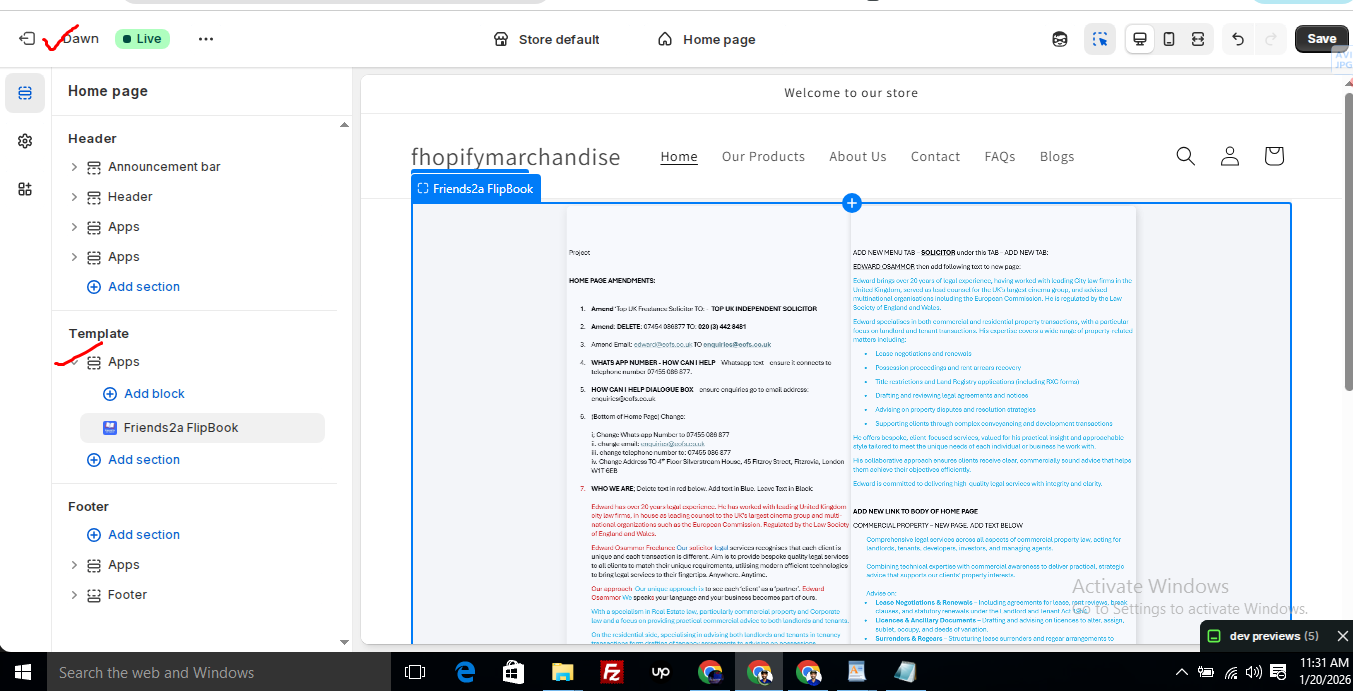
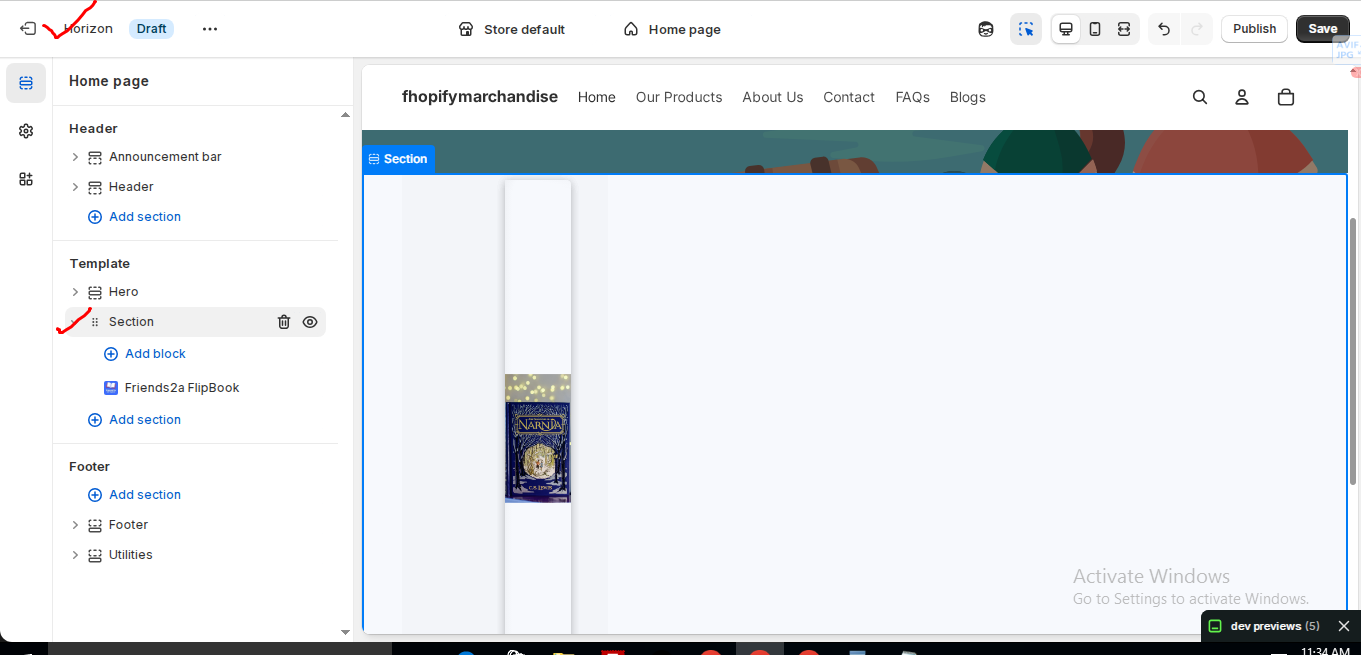
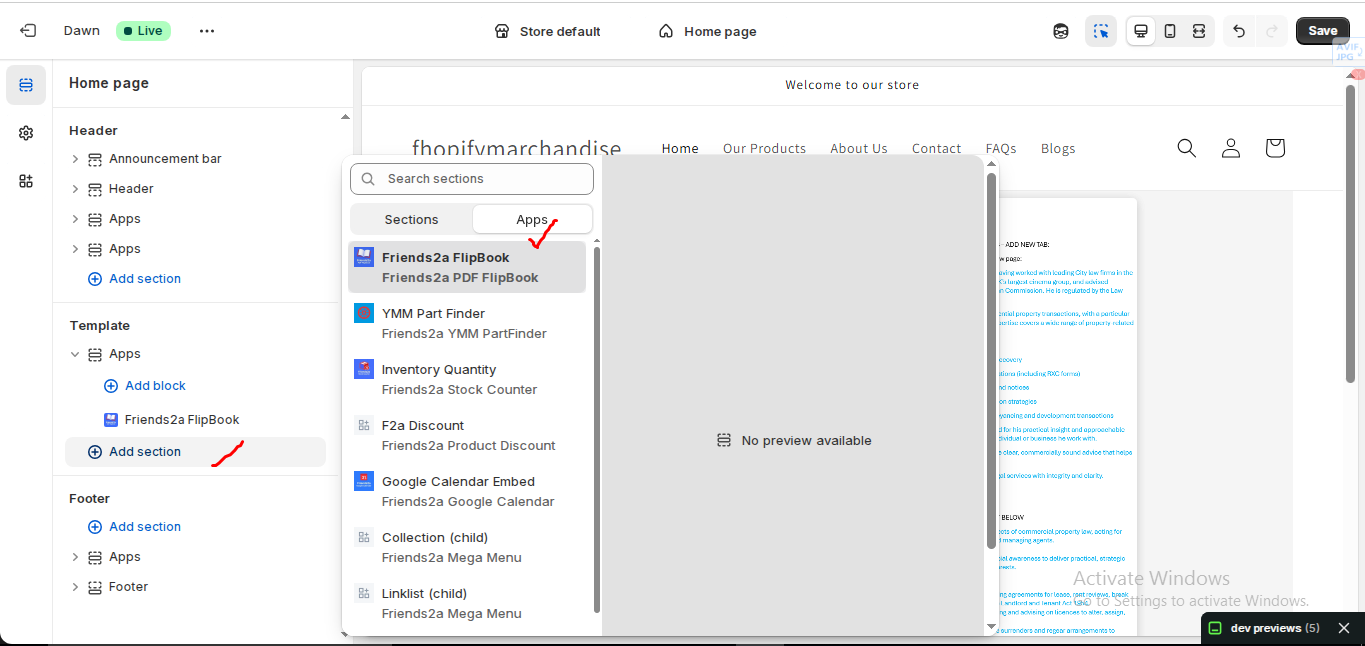
In the Horizon new update theme (and some other Shopify free themes), when you add an app block, it is automatically wrapped inside a Section container.
This Section applies automatic CSS and admin UI styles, which may conflict with the app’s layout. As a result, app content such as FlipBooks or iframe-based apps may appear squeezed, misaligned, or broken.
This is a theme-level layout behavior, not an app bug.
How to Fix the Issue (Solution)
Please follow these steps carefully:
1. Go to Online Store → Themes → Edit code
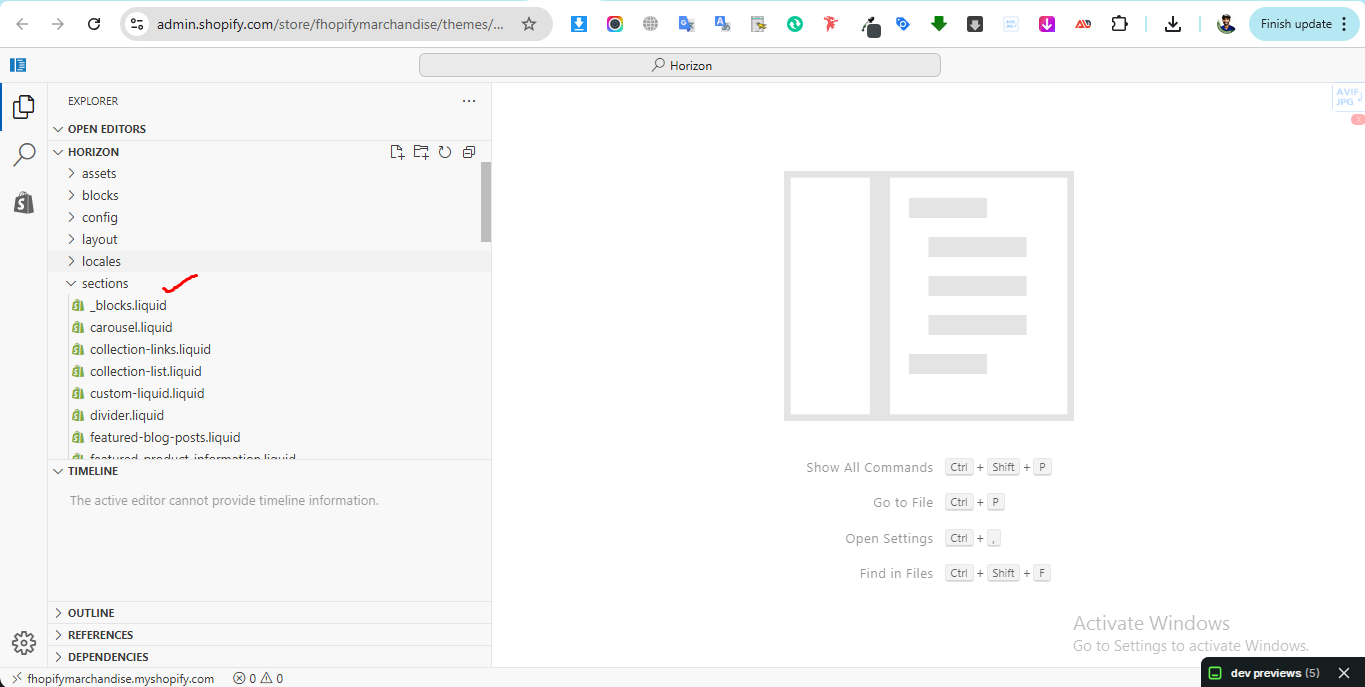
2. Open the Sections folder
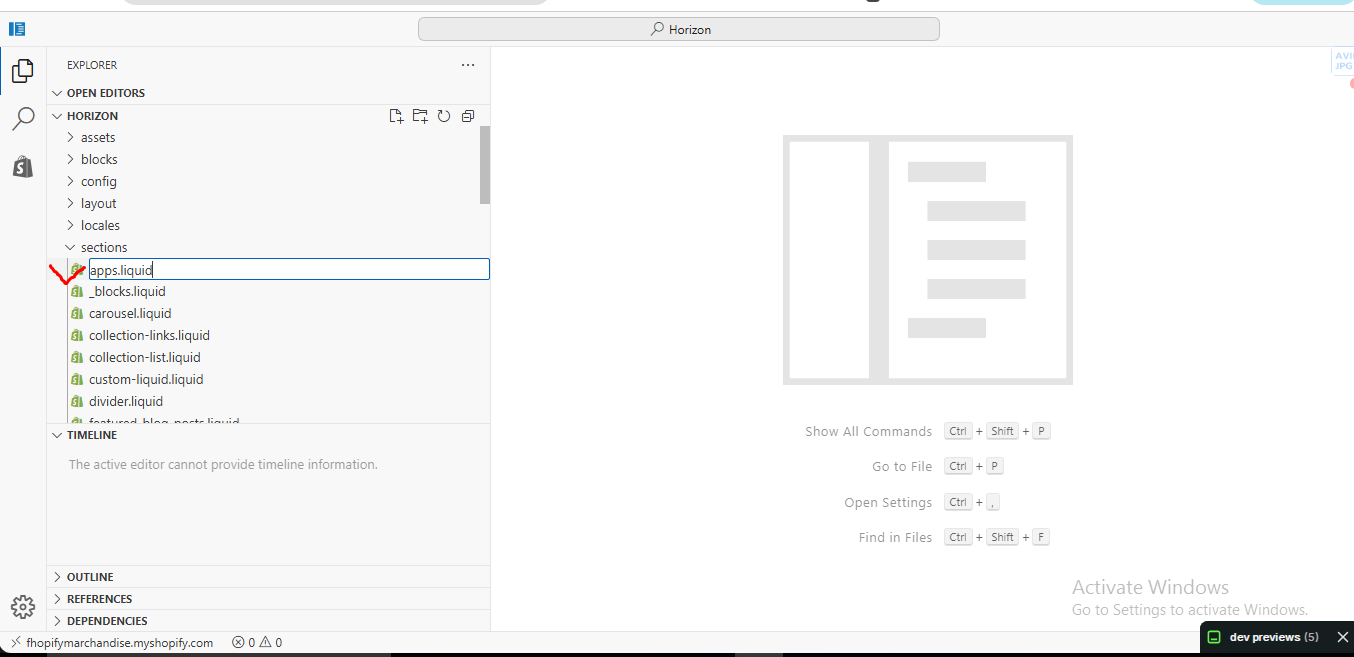
3. Find the file named apps.liquid
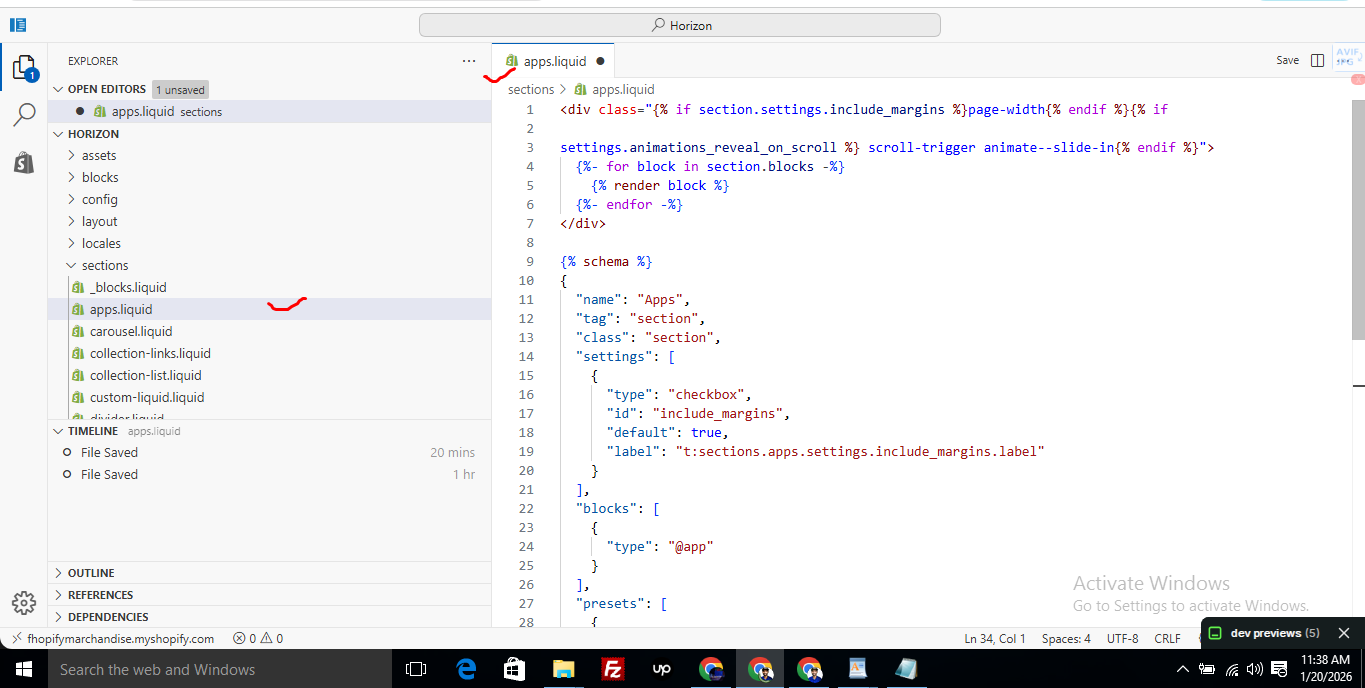
– If the file exists, open it and paste the provided code into it
– If the file does not exist, create a new file named apps.liquid and paste the code into it
4. Save the file
5. Go back to Theme Customization
6. Add the app block again
After completing these steps, everything should display correctly.
Summary :
– This issue is related to the Horizon / Shopify free theme layout behavior
– It is not an app bug
– Dawn, Shopify premium themes, and ThemeForest themes work without any issues
– Following the steps above will resolve the problem
If you still face issues after following this guide, please share updated screenshots and we will be happy to assist further.
Create file name : apps.liquid and past it
					<div class="{% if section.settings.include_margins %}page-width{% endif %}">
  {% for block in section.blocks %}
    {% render block %}
  {% endfor %}
</div>

{% schema %}
{
  "name": "Apps",
  "tag": "section",
  "class": "section",
  "settings": [
    {
      "type": "checkbox",
      "id": "include_margins",
      "default": true,
      "label": "Include page margins"
    }
  ],
  "blocks": [
    { "type": "@app" }
  ],
  "presets": [
    { "name": "Apps" }
  ]
}
{% endschema %}
Friends2a Technolgy Insert Headers & Footers
🧩 Insert Headers And Footers — Installation & Setup Guide
🔹 Prerequisites
⦁ A Shopify store
⦁ A theme that supports Online Store 2.0
⦁ Basic knowledge of HTML / CSS / JavaScript (optional but helpful)
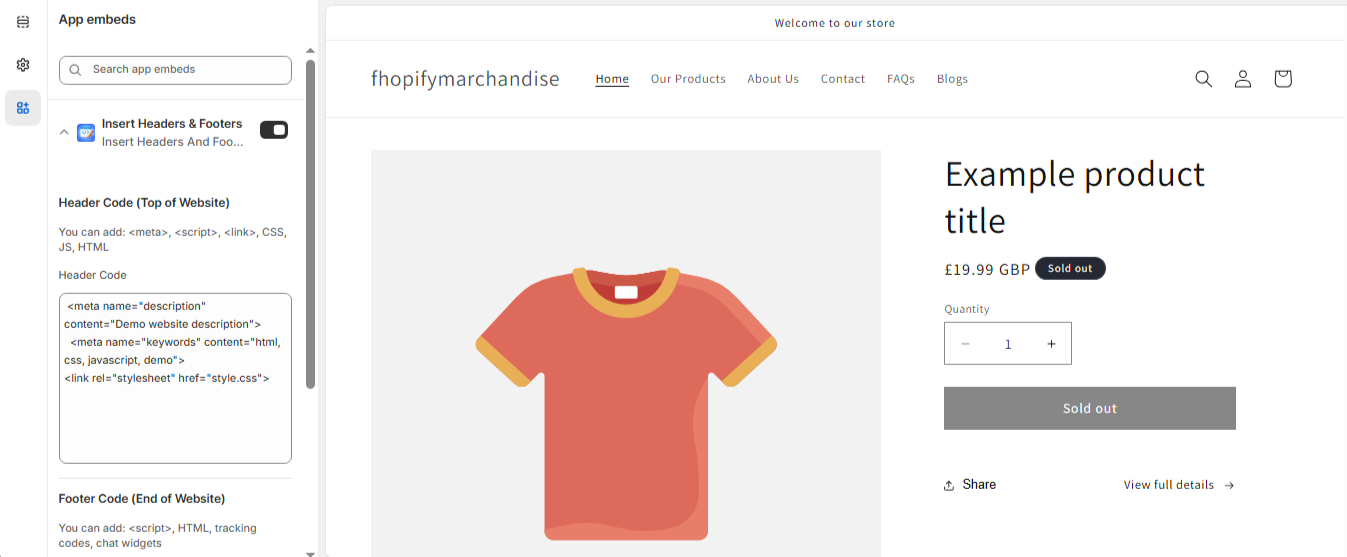
➕ Enable the App Embed
- Shopify Admin → Online Store → Customize
- Open App embeds (left sidebar bottom icon)
- Find → Insert Headers & Footers
- Toggle it ON
- Click Save
⚙️ Configure Header & Footer Code
🔼 Header Code (Top of Website)
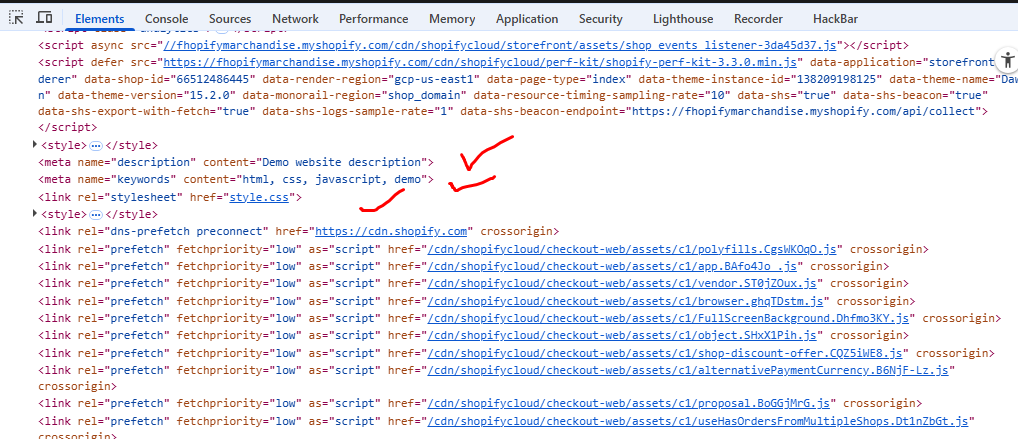
⦁ This code will be injected inside <head>
⦁ Use for:
- Meta tags
- CSS styles
- External CSS links
- Scripts (analytics, tracking)
✅ Example:
<meta name=”theme-color” content=”#000000″>
<link rel=”stylesheet” href=”https://example.com/style.css”>
<style>
body {
background: #f5f5f5;
}
</style>
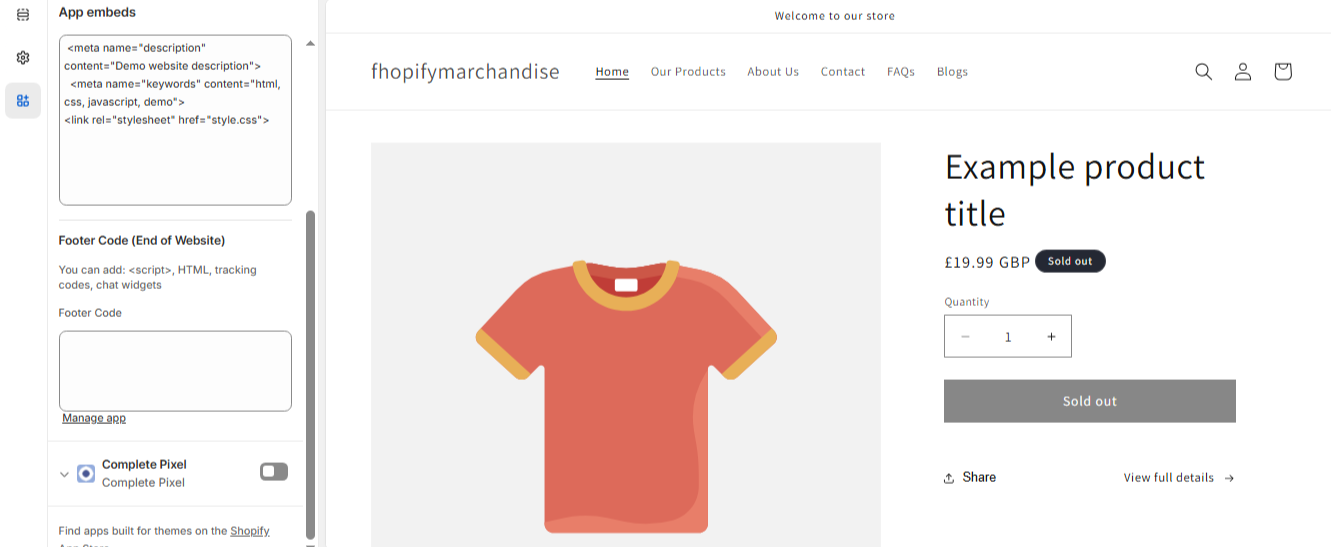
🔽 Footer Code (End of Website)
⦁ This code will be injected before </body>
⦁ Use for:
- JavaScript
- Tracking scripts
- Chat widgets
- Custom HTML
✅ Example:
<script>
console.log(“Footer script working”);
</script>
<div style=”text-align:center;padding:20px;”>
Custom footer content
</div>
🎨 What You Can Add
You can safely use:
⦁ HTML
⦁ CSS (<style>)
⦁ JavaScript (<script>)
⦁ External files (<link>, <script src=””>)
⚠️ Important Notes
⦁ Liquid code (e.g. {{ product.title }}) may not execute properly
⦁ Invalid HTML/JS can break your theme layout
⦁ Always test before going live
📱 Verify & Test
- Preview your store (Desktop + Mobile)
- Check:
- Header styles applied correctly
- Scripts working
- Footer content visible
- Open browser console (F12) → check errors
🔧 Troubleshooting
Code not working?
⦁ Make sure app embed is enabled
⦁ Click Save after changes
⦁ Clear browser cache
If you need Support, please message us on WhatsApp. We will give you a response just in one minute. Or mail to us, Amzadhossen420360@gmail.com Or Contact Our Support Website : https://friends2a-technology.com/fhopify/contact-us/
Add custom code to your store’s header and footer instantly without editing theme files. Easily insert HTML, CSS, JavaScript, Liquid code, and meta tags to customize your store and improve SEO. Add tracking pixels or third-party scripts in seconds and manage everything from one place. Works across all pages with a simple toggle. No coding skills required, fully responsive, and safe to use.
Features
- Add header and footer code instantly
- Insert HTML, CSS, JavaScript, and scripts
- Manage site-wide tracking and integrations
- No coding needed, simple toggle control
- Works on all pages and is fully responsive