Table of Contents
Installation Guideline
Step 1 — Install the App
Install Sticky Add to Cart by F2 from the Shopify App Store.
After installation, open your Shopify admin and go to:
Online Store → Themes → Customize
Step 2 — Open Your Product Template
From the Theme Editor:
- Select your Product template.
- Open the product page where you want to display the sticky cart.
- Click Add section or Add block.
- Find Sticky Add to Cart by F2 under the Apps section.
Step 3 — Choose a Sticky Cart Style
You can choose from:
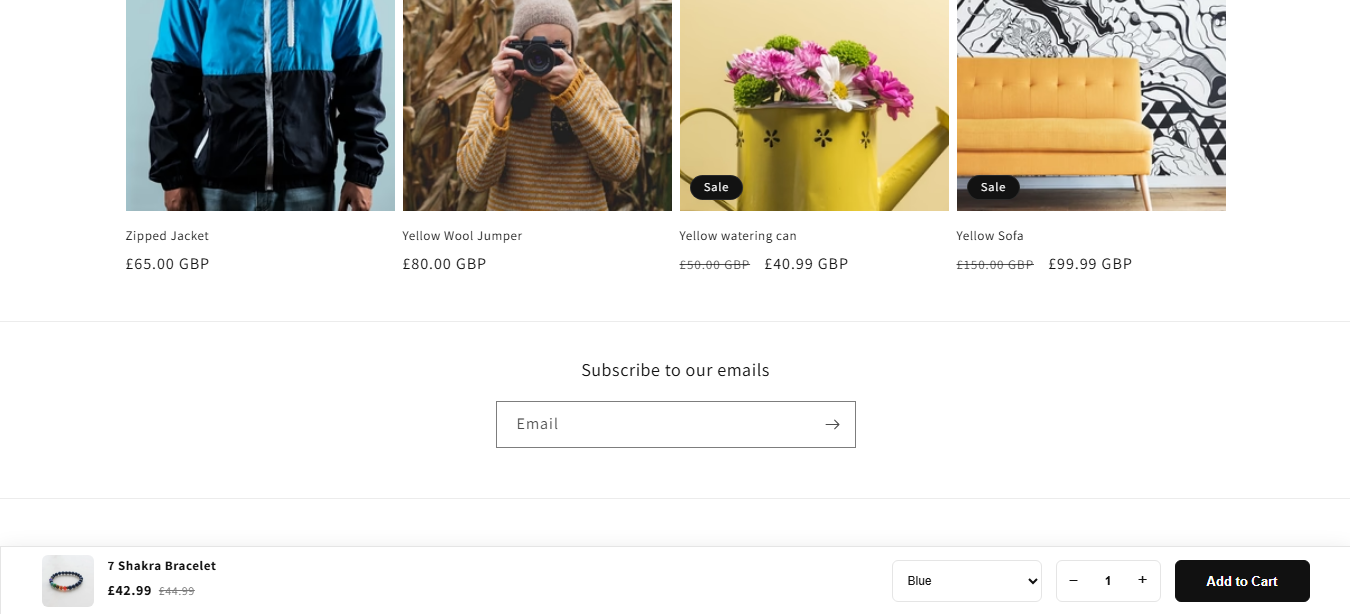
- Classic Sticky Cart
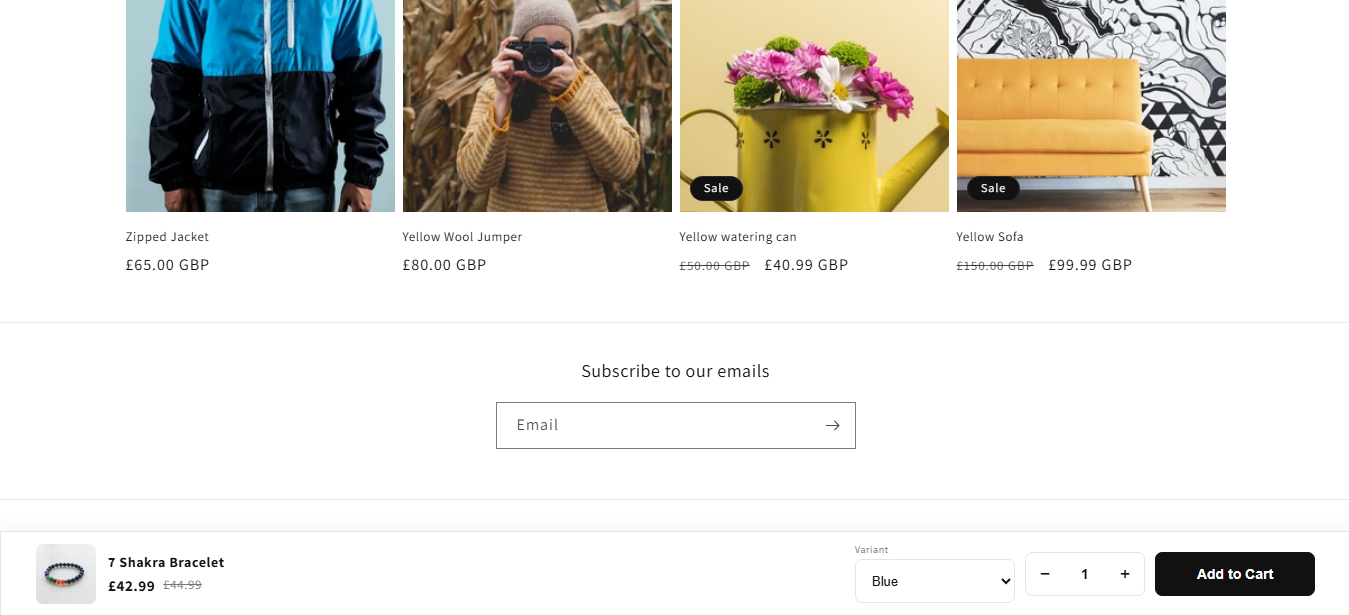
- Minimal Sticky Cart
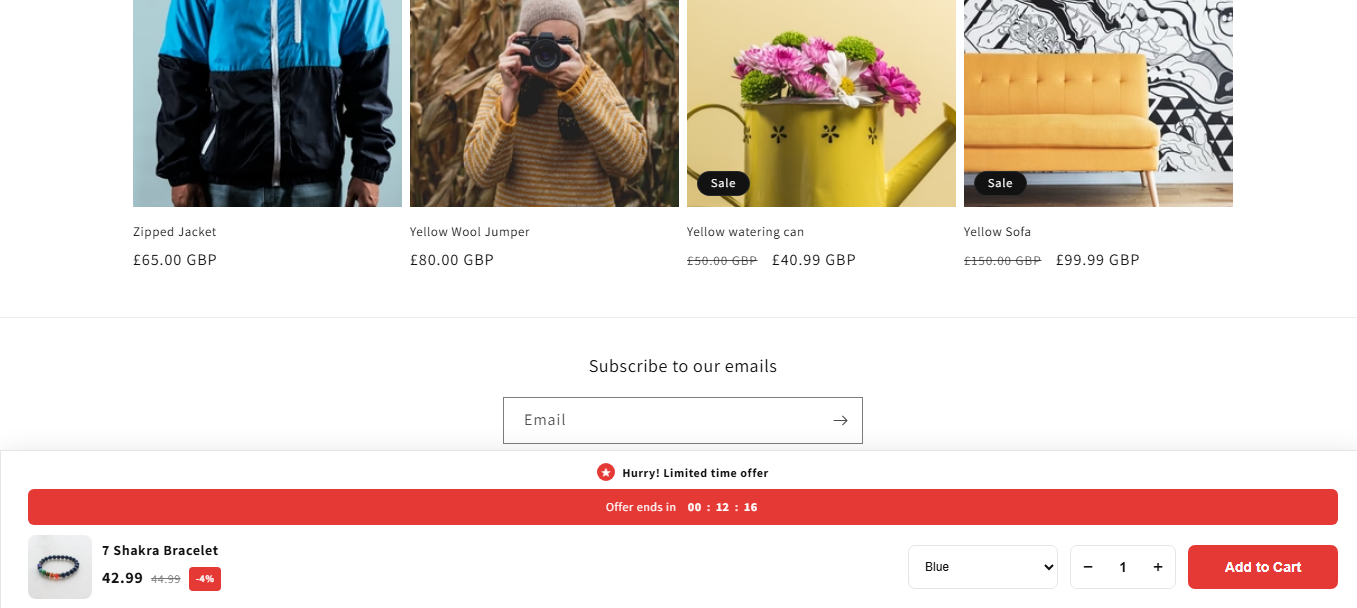
- Offer Sticky Cart
Add the style you prefer to your product page.
Step 4 — Customize the Sticky Cart
Use the Theme Editor settings to customize:
- Position
- Product image
- Product title
- Product price
- Compare-at price
- Variant selector
- Quantity selector
- Button text
- Background color
- Text color
- Border color
- Button color
- Font sizes
- Width
- Padding
- Margin
- Border radius
Step 5 — Save Your Changes
Click Save in the Shopify Theme Editor.
Visit your storefront and open a product page to test the sticky Add to Cart bar.
How to Use
Once enabled, the sticky cart appears on your product pages according to your selected position and settings.
Customers can:
- Select a variant.
- Choose the quantity.
- Review the product price.
- Click Add to Cart.
- Continue shopping without scrolling back to the main product form.
Compatibility
Sticky Add to Cart by F2 is designed for:
- Shopify Online Store 2.0 themes
- Desktop devices
- Tablets
- Mobile devices
- Product pages using Shopify’s standard product form
Important
The app uses a Theme App Extension, so you don’t need to manually edit your theme code or add custom CSS/JavaScript files.
Troubleshooting
Sticky cart is not showing
Please check:
- The app block is added to the Product template.
- Enable Sticky Cart is turned on.
- The theme changes have been saved.
- The product has an available variant.
- The product is available for purchase.
Variant selector is not working
Make sure the product has multiple variants and that the selected variant is available for purchase.
Changes are not visible
After changing the settings, click Save in the Shopify Theme Editor and refresh the storefront product page.
App Features
Sticky Add to Cart by F2
Short Description
Keep your Add to Cart button visible while customers browse your product pages and make purchasing faster and easier.
Full Description
Sticky Add to Cart by F2 helps Shopify merchants keep the Add to Cart option easily accessible while customers scroll through product pages.
Create a smooth shopping experience with customizable sticky cart bars for desktop and mobile. Choose from multiple layouts and customize the appearance to match your store design.
Key Features
- 3 Sticky Cart Designs — Classic, Minimal, and Offer layouts
- Bottom, Top & Middle Positioning — Choose where the sticky cart appears
- Product Information — Display product image, title, price and compare-at price
- Variant Selector — Let customers select product variants directly from the sticky cart
- Quantity Selector — Customers can quickly change quantity before adding to cart
- Custom Add to Cart Button — Customize button text and appearance
- Custom Colors — Change background, text, border and button colors
- Responsive Design — Optimized for desktop, tablet and mobile
- Scrolling Behavior — Show the sticky cart when customers scroll away from the main Add to Cart button
- Offer Layout — Add announcement text, discount information and countdown functionality
- Theme Editor Controls — Customize the sticky cart without editing theme code
- Online Store 2.0 Compatible — Built with Shopify Theme App Extensions
Apps Demo Screenshots
Support Helpline
If you need Support, please message us on WhatsApp. We will give you a response just in one minute. Or mail to us, Amzadhossen420360@gmail.com Or Contact Our Support Website : https://friends2a-technology.com/fhopify/contact-us/
Whatsapp Number: +8801602438393
Website: https://friends2a-technology.com/